How to Elevate Your Mobile Security
How to elevate your mobile security? This guide dives deep into safeguarding your mobile devices, covering everything from understanding threats to managing your data and apps. We’ll explore common vulnerabilities, practical security practices, and even delve into hardware and policy considerations, ensuring you’re armed with the knowledge to protect your precious mobile data.
From malware and phishing to securing your financial transactions, this comprehensive guide equips you with actionable strategies to elevate your mobile security posture. We’ll walk you through essential practices, providing clear steps and practical examples to bolster your defenses against modern digital threats.
Understanding Mobile Security Threats
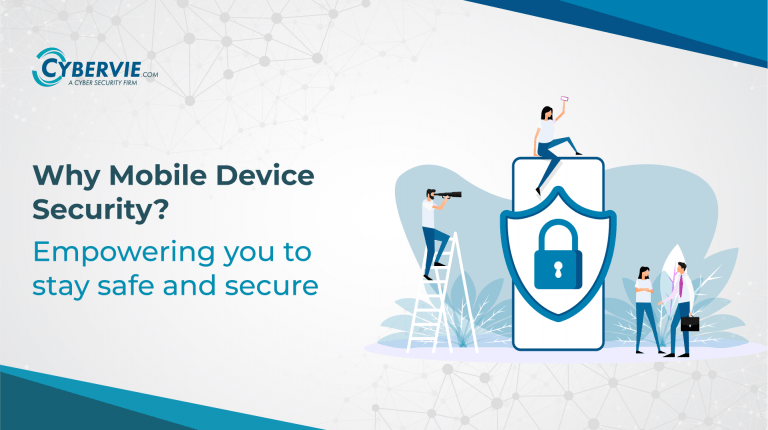
Mobile devices have become indispensable tools for communication, productivity, and entertainment. However, this increased reliance comes with a heightened risk of security threats. Understanding these threats is crucial for protecting your personal information and preventing financial losses. This section delves into the various types of mobile security threats, their characteristics, and the impact they can have.
Common Mobile Security Threats
Mobile security threats encompass a wide range of malicious activities aimed at exploiting vulnerabilities in mobile devices and applications. These threats can range from simple attempts to steal data to sophisticated attacks designed to cripple entire systems. Critically, awareness of these threats is the first line of defense.
Malware
Malware is a broad category of malicious software designed to harm or exploit a mobile device. Different types of malware target various aspects of the device, from stealing data to disrupting functionality.
- Viruses: These programs replicate themselves and spread to other files or devices, potentially causing significant damage to the device’s operating system and data.
- Spyware: Designed to secretly monitor and collect information from a mobile device, spyware can record keystrokes, track location, and capture sensitive data without the user’s knowledge.
- Ransomware: This type of malware encrypts a user’s data and demands a ransom for its release. This can lead to significant financial loss and data loss, as the user is often unable to recover the data without paying.
- Trojan Horses: Disguised as legitimate applications, trojan horses gain unauthorized access to a device and can perform malicious actions without the user’s awareness. This includes stealing data, installing other malware, or opening backdoors for attackers.
Phishing
Phishing attacks attempt to trick users into revealing sensitive information, such as passwords, credit card details, or social security numbers. These attacks often employ deceptive techniques and often target users via text messages, emails, or fraudulent websites.
Social Engineering
Social engineering exploits human psychology to manipulate individuals into divulging sensitive information or performing actions that compromise their security. This can involve creating a sense of urgency, leveraging trust, or playing on emotional vulnerabilities. These attacks often involve manipulation and psychological pressure.
Comparison of Mobile Security Threats
The table below summarizes the characteristics and impact of various mobile security threats.
| Threat Type | Characteristics | Impact |
|---|---|---|
| Malware (Virus) | Self-replicating, damaging to files and OS | Data loss, system instability, potential financial loss |
| Malware (Spyware) | Secretly monitors and collects data | Privacy violation, data theft, potential identity theft |
| Malware (Ransomware) | Encrypts data and demands ransom | Data loss, financial loss, potential reputational damage |
| Phishing | Deceptive attempts to obtain sensitive information | Data theft, financial loss, identity theft |
| Social Engineering | Manipulates individuals into compromising security | Data theft, financial loss, privacy violation |
Real-World Security Breaches, How to elevate your mobile security
Numerous real-world mobile security breaches have highlighted the vulnerabilities of mobile devices. These breaches often result in significant financial losses and reputational damage.
- Example 1: A major retailer experienced a data breach affecting millions of customer accounts stored on their mobile application. This resulted in significant financial losses and a decline in customer trust.
- Example 2: A widely used banking app suffered a security breach that allowed hackers to gain access to user accounts and drain funds. This led to widespread financial losses and regulatory scrutiny.
Common Vulnerabilities
Mobile apps and operating systems are susceptible to various vulnerabilities that attackers can exploit.
- Lack of proper input validation: Mobile apps may not adequately validate user inputs, making them vulnerable to malicious code injection.
- Inadequate authentication mechanisms: Weak passwords or easily guessable credentials can be exploited to gain unauthorized access.
- Insufficient security updates: Failure to install security updates leaves devices vulnerable to known exploits.
- Unpatched operating systems: Outdated operating systems may contain vulnerabilities that attackers can leverage.
- Lack of encryption: Sensitive data transmitted without encryption can be intercepted.
Essential Mobile Security Practices

Protecting your mobile devices is crucial in today’s interconnected world. Mobile devices, while offering unparalleled convenience, are also vulnerable to various security threats. Implementing strong security practices can significantly reduce the risk of data breaches, identity theft, and other harmful activities. Understanding and applying these practices is essential for safeguarding your personal information and maintaining a secure digital presence.Robust password management and multi-factor authentication are fundamental to mobile security.
Regular updates to operating systems and applications are also critical to maintaining a secure environment. Choosing reliable security apps can further enhance your protection.
Strong Passwords and Multi-Factor Authentication
Strong passwords are the first line of defense against unauthorized access. Weak passwords are easily cracked, exposing your device and sensitive information to potential threats. Creating robust passwords is essential to prevent unauthorized access.
Creating Robust Passwords
Creating strong passwords involves using a combination of upper and lowercase letters, numbers, and symbols. Avoid using easily guessable words, names, or dates. Consider using a password manager to generate and store complex passwords securely. The more unique and complex your password, the more secure your account.
- Use a mix of uppercase and lowercase letters, numbers, and symbols.
- Avoid easily guessable words, names, or dates.
- Use a unique password for each account.
- Consider using a password manager to generate and store complex passwords.
- Make passwords long (at least 12 characters) for added security.
Multi-factor authentication (MFA) adds an extra layer of security beyond a simple password. It requires users to provide multiple verification methods, such as a code from an authenticator app or a text message, before accessing their accounts. This significantly reduces the risk of unauthorized access even if a password is compromised.
Multi-Factor Authentication for Mobile Devices
Implementing MFA on your mobile devices enhances security by requiring additional verification steps beyond a password. This can be implemented through authenticator apps, SMS codes, or hardware tokens. This extra security measure is highly beneficial in safeguarding your accounts and data.
- Enable MFA for all your online accounts, especially banking and email.
- Utilize authenticator apps for generating one-time passwords.
- Consider hardware tokens for enhanced security.
- Ensure your mobile device is protected with a strong lock screen.
Regular Operating System and Application Updates
Regularly updating your operating system and applications is critical for maintaining security. Software updates often include critical security patches that address vulnerabilities that could be exploited by attackers. These updates often close potential security gaps and enhance the device’s overall security.
Updating Operating Systems and Applications
Regular updates are essential for maintaining the security of your mobile devices. Operating system and application updates frequently include critical security patches that address potential vulnerabilities.
- Check for updates regularly through your device’s settings.
- Allow automatic updates whenever possible for convenience and security.
- Update all apps to the latest versions to benefit from security enhancements.
- Understand that updates may require a restart to complete.
Comparing Mobile Security Apps
Choosing the right mobile security app can significantly bolster your device’s protection. Different apps offer varying features, so understanding their capabilities is crucial. The following table compares some popular mobile security apps based on their key features.
| App Name | Key Features | Pros | Cons |
|---|---|---|---|
| App A | Virus scanning, data encryption, location tracking | Comprehensive protection | Potentially high resource consumption |
| App B | Password manager, VPN, privacy controls | Focus on privacy and security | Limited antivirus capabilities |
| App C | Anti-theft, data backup, device management | Excellent for lost or stolen devices | May not offer comprehensive security features |
Securing Your Mobile Data
Protecting your personal data on your mobile device is paramount in today’s digital age. Mobile devices have become indispensable tools, often housing sensitive information like financial details, personal contacts, and confidential documents. Failing to secure this data leaves you vulnerable to various threats, including identity theft, financial fraud, and privacy breaches. This section delves into practical strategies for safeguarding your mobile data and mitigating potential risks.
Protecting Sensitive Personal Data
Your mobile device stores a wealth of personal information. Protecting this data requires a multi-faceted approach. Implement strong passwords, enabling two-factor authentication whenever possible, and regularly update your device’s operating system and applications to patch vulnerabilities. Avoid installing applications from untrusted sources, and exercise caution when sharing personal information online. Be mindful of phishing attempts, which often masquerade as legitimate communications.
Data Encryption
Data encryption is a crucial security measure. It converts readable data into an unreadable format, making it virtually inaccessible to unauthorized individuals. Mobile operating systems often offer built-in encryption features. Activating these features significantly enhances the security of your sensitive data. This encryption process transforms your data into a scrambled code, only decipherable with the correct decryption key.
Boosting your mobile security is crucial these days. Strong passwords and two-factor authentication are great first steps, but did you know that recent developments, like the Department of Justice Offers Safe Harbor for MA Transactions here , might impact your approach? Ultimately, staying informed about evolving regulations and security best practices is key to keeping your mobile data safe.
For example, if your phone is lost or stolen, the encrypted data remains secure.
Data Backup and Restoration
Regularly backing up your data is essential for disaster recovery. Losing your mobile device or encountering data corruption can lead to significant losses. Cloud-based backup services provide a convenient and secure method for backing up your data. Ensure you regularly check the backup status and understand how to restore your data if necessary. Furthermore, consider using a combination of backup methods, such as cloud backups and local backups on a computer, to increase redundancy.
Consider automatic backups to ensure consistent protection.
Public Wi-Fi Security
Public Wi-Fi networks are notoriously insecure. Connecting to them without proper security measures exposes your data to potential interception by malicious actors. Avoid performing sensitive transactions, like online banking or shopping, over public Wi-Fi. Instead, utilize a Virtual Private Network (VPN) to encrypt your connection and protect your data. VPNs create a secure tunnel between your device and the internet, effectively shielding your activities from prying eyes.
Financial Transactions
Mobile devices are frequently used for financial transactions. Prioritize security when handling such transactions. Use secure mobile banking apps and ensure they utilize strong encryption. Do not share your financial credentials with anyone, and always look for indications of a secure connection, like a padlock icon in your browser. Be vigilant about suspicious emails or messages asking for your personal financial information.
Enable two-factor authentication on your financial accounts to add an extra layer of security.
Mobile Device Management and Policies
Mobile devices have become indispensable tools in the modern workplace, but their widespread use also introduces security risks. Effective mobile device management (MDM) and robust security policies are crucial to mitigating these risks and safeguarding sensitive corporate data. Implementing these strategies requires a proactive approach that considers the specific needs and vulnerabilities of the organization.
Role of Mobile Device Management (MDM)
Mobile Device Management (MDM) plays a critical role in securing corporate mobile devices. MDM solutions provide a centralized platform for managing and controlling mobile devices within an organization. This includes features like remote wipe, application management, and device configuration, allowing IT to enforce security policies consistently across all devices. By using MDM, organizations can effectively reduce the attack surface and prevent unauthorized access to sensitive data.
Implementing a Mobile Security Policy
A comprehensive mobile security policy is essential for protecting corporate data. The policy should clearly define acceptable use guidelines, data handling procedures, and security protocols for mobile devices. These guidelines should cover data encryption, password complexity, and restrictions on personal use of corporate devices. The policy should also address procedures for handling lost or stolen devices, outlining clear steps for data recovery and device wipe.
- Establish clear guidelines: Define acceptable use policies, data handling procedures, and security protocols for mobile devices. Examples include restrictions on accessing specific websites, usage of personal data, and enforcing encryption on all devices. These guidelines should be communicated to all employees and regularly reviewed.
- Develop a strong password policy: Mandate strong, unique passwords for all mobile devices. This policy should specify password complexity requirements and frequency of password changes. Regular audits and reviews are crucial to ensure the effectiveness of the password policy.
- Enforce data encryption: Implement encryption on all mobile devices containing sensitive data. Data encryption is a crucial layer of defense against unauthorized access. Consider using end-to-end encryption for secure communication and data transfer.
- Establish procedures for lost or stolen devices: Artikel clear steps for handling lost or stolen devices, including data recovery and device wipe procedures. Having a clear protocol in place ensures that sensitive data is protected and quickly removed from unauthorized access.
Monitoring Device Usage and Activity
Monitoring device usage and activity provides valuable insights into potential security threats. Regular monitoring of device activity can detect unusual patterns or suspicious behavior, alerting IT staff to potential security breaches. Real-time monitoring tools can provide immediate alerts for unauthorized access attempts or data exfiltration attempts. This allows for swift response and remediation, minimizing the impact of security incidents.
Boosting your mobile security is crucial these days, especially when dealing with sensitive data. One area often overlooked is the security of cloud databases like Azure Cosmos DB. Knowing about potential vulnerabilities, like those detailed in the Azure Cosmos DB Vulnerability Details , is key. Understanding these risks helps you tailor your mobile security protocols accordingly, safeguarding your apps and user data.
After all, a strong defense against threats starts with knowledge.
Troubleshooting Mobile Security Issues
A structured approach to troubleshooting mobile security issues is essential for efficient resolution. This approach should involve a series of steps, including identifying the issue, gathering relevant information, and implementing appropriate solutions. Documentation of the issue and its resolution is critical for future reference and preventative measures.
MDM Software Comparison
The table below Artikels different MDM software and their functionalities. Choosing the right MDM solution depends on factors such as budget, scalability, and specific security requirements.
| MDM Software | Key Functionalities | Strengths | Weaknesses |
|---|---|---|---|
| MobileIron | Device management, application control, data loss prevention (DLP), and secure remote access | Robust features, enterprise-grade security, scalable solutions | Can be expensive, complex setup |
| Citrix Workspace | Provides secure access to applications and data across devices | Strong security features, ease of use for employees | Might not offer comprehensive device management capabilities |
| Microsoft Intune | Comprehensive device management, application management, and data loss prevention (DLP) | Integrates well with other Microsoft products, cloud-based | Requires Microsoft ecosystem, may not be suitable for organizations without existing Microsoft investments |
| AirWatch | Device management, application management, and security policy enforcement | Highly customizable and adaptable to various environments | Might have a steeper learning curve |
App Security and Selection
Mobile applications have become integral to our daily lives, offering convenient access to services and information. However, this convenience comes with inherent security risks. Choosing and using apps responsibly is crucial to protecting personal data and preventing malicious activities. This section delves into the critical aspects of evaluating app security, ensuring safe downloads, and understanding secure coding practices.App security is not just about preventing attacks; it’s also about designing apps with security in mind from the outset.
This proactive approach strengthens the overall resilience of the application and minimizes the potential impact of vulnerabilities. Understanding the methods for evaluating and selecting apps is essential for users and developers alike.
Evaluating Mobile Application Security
A comprehensive approach to evaluating mobile application security requires a multi-faceted examination. This involves assessing various aspects of the application, including its code, design, and deployment strategy. Analyzing the code for vulnerabilities, understanding the design architecture for potential weaknesses, and reviewing the deployment processes for potential attack vectors are crucial.
Factors to Consider When Downloading and Installing Apps
Careful consideration of several factors is vital before installing any mobile application. These factors encompass the app’s reputation, developer information, permissions requested, and the overall design and functionality.
- Reputation and Developer Information: Research the developer’s history and the app’s reputation through online reviews and ratings. A track record of trustworthy development and positive user feedback can be a strong indicator of a secure app.
- Permissions Requested: Be cautious of applications requesting excessive permissions. Understand exactly what access the app needs and whether those permissions are necessary for the app’s functionality. Permissions like access to contacts, location, or camera should be carefully scrutinized.
- App Store Ratings and Reviews: Look for patterns in user reviews. While individual reviews can be subjective, a consistent pattern of complaints regarding security issues or privacy concerns should raise red flags.
- App Design and Functionality: Examine the app’s design and functionality. A poorly designed application or one that requests unusually high permissions might indicate a potential security risk.
Secure Coding Practices for Mobile App Development
Secure coding practices are crucial in minimizing the risk of vulnerabilities within mobile applications. These practices encompass various techniques and strategies for developing secure software.
- Input Validation: Prevent malicious input from compromising the application. Implement robust input validation mechanisms to sanitize user input and prevent injection attacks, ensuring that user-supplied data is properly handled.
- Data Encryption: Protect sensitive data by encrypting it both in transit and at rest. Utilize industry-standard encryption methods to safeguard confidential information.
- Authentication and Authorization: Implement strong authentication mechanisms to verify user identities and limit access to sensitive data. Ensure appropriate authorization policies to control what actions users can perform.
- Security Audits: Regular security audits are essential to identify vulnerabilities before they can be exploited. Employ various testing methodologies to identify potential weaknesses and ensure the security of the application.
App Security Testing Methodologies
Various methodologies exist for assessing the security of mobile applications. Each approach targets specific aspects of the application and aims to uncover vulnerabilities. A comprehensive security assessment usually employs a combination of these techniques.
- Penetration Testing: Simulates real-world attacks to identify vulnerabilities in the application. Experienced security professionals attempt to exploit weaknesses in the app’s design and code, providing a comprehensive security assessment.
- Static Analysis: Analyzes the app’s code without executing it. Tools identify potential vulnerabilities based on the code structure and syntax. This is a proactive method to uncover potential issues before they are exploited.
- Dynamic Analysis: Analyzes the app’s behavior during execution. Tools observe the app’s interactions with the system and identify potential vulnerabilities. This approach is valuable in uncovering issues that static analysis might miss.
Third-Party App Stores and Security Practices
Third-party app stores play a vital role in the distribution of mobile applications. These stores have security practices that impact the overall security landscape. These practices aim to filter out malicious apps and ensure the integrity of the app ecosystem.
- App Store Policies: App stores have specific policies regarding app security. These policies often require developers to adhere to certain security standards to ensure the apps meet minimum security requirements.
- Content Moderation: App stores often implement content moderation procedures to review and approve applications. This process helps in preventing malicious or harmful apps from being distributed.
- Regular Updates: App stores often update their security practices in response to emerging threats. This proactive approach to security helps maintain a secure platform for users.
Protecting Against Phishing and Social Engineering
Phishing and social engineering are insidious threats targeting mobile users. These attacks leverage psychological manipulation and deceptive tactics to trick individuals into revealing sensitive information, such as passwords, financial details, or personal data. Understanding the methods employed by attackers is crucial for safeguarding your mobile devices and personal information.
Signs of Phishing Attempts on Mobile Devices
Phishing attempts often appear as legitimate messages, emails, or calls. Recognizing the subtle signs of these attacks is vital to avoiding them. Look for inconsistencies in the sender’s address, suspicious links or attachments, and urgent or threatening language. Grammatical errors and poorly designed layouts can also be red flags.
Methods Used by Social Engineers to Target Mobile Users
Social engineers employ various techniques to manipulate mobile users. They may use impersonation to mimic trusted contacts, exploiting existing relationships. A common tactic is creating a sense of urgency or fear to pressure victims into immediate action. These attackers also leverage psychological vulnerabilities, such as curiosity or a desire to help, to achieve their goals. Some attackers may even use fake customer service messages or technical support scams to trick victims into revealing personal information.
Best Practices to Avoid Falling Victim to Phishing Scams
Maintaining a vigilant approach is essential in preventing phishing scams. Verify the sender’s identity before clicking on links or opening attachments. Hover over links to see the actual destination URL before clicking, and always report suspicious messages to the appropriate authorities. Avoid responding to unsolicited messages or calls that ask for personal information. Be cautious about messages demanding immediate action.
- Verify sender details meticulously. Do not rely solely on sender names or addresses. Examine the email address or phone number for any discrepancies.
- Treat unsolicited messages with extreme caution. Do not provide personal information or sensitive details unless you are absolutely certain of the legitimacy of the request.
- Be skeptical of urgent or threatening messages. Phishers often create a sense of urgency to pressure victims into acting quickly.
- Hover over links before clicking. Look closely at the actual destination URL to ensure it aligns with the expected destination.
- Install reputable antivirus and anti-malware software. Regularly update the software to maintain protection against emerging threats.
Recognizing Suspicious Links and Attachments
Scrutinizing links and attachments is paramount for avoiding phishing attacks. Be wary of shortened URLs, as these can conceal the true destination. Examine the file type of attachments before opening them. Never open attachments from unknown senders.
Importance of Recognizing Suspicious Links and Attachments
Suspicious links and attachments are often used to deliver malware or viruses to mobile devices. By scrutinizing these elements, users can significantly reduce the risk of falling victim to these attacks.
Summary of Phishing Techniques and Detection Methods
The following table summarizes different phishing techniques and their detection methods:
| Phishing Technique | Description | Detection Method |
|---|---|---|
| Deceptive Phishing | Attempts to trick users into revealing personal information by posing as a legitimate entity. | Verify sender’s identity, look for inconsistencies in the message, check for suspicious links and attachments. |
| Spear Phishing | Targets specific individuals or organizations by using personalized messages. | Scrutinize the sender’s details, and look for any personal information used in the message. |
| Whaling | Targets high-profile individuals or executives. | Look for inconsistencies in the message, examine the sender’s details, and scrutinize the request for information. |
| Pharming | Redirects users to fraudulent websites that mimic legitimate sites. | Check the URL before entering any information. Look for inconsistencies in the site design. |
Hardware Security Considerations
Choosing a secure mobile device and its accessories is crucial in today’s digital landscape. A well-protected device acts as a strong first line of defense against various threats, safeguarding your personal data and sensitive information. Robust hardware security features can deter malicious actors and minimize the impact of potential breaches. Understanding the security features offered by different manufacturers and the importance of proactive measures, like device tracking, are key to comprehensive mobile security.Mobile devices, much like any other technology, are susceptible to physical and electronic attacks.
Modern hardware often incorporates advanced security features, but understanding these features and how to utilize them effectively is critical. Protecting your mobile device from loss or theft, for instance, relies heavily on the hardware’s inherent security capabilities. Smart choices in selecting a device and accessories, combined with proper usage and security awareness, significantly enhance the overall protection of your mobile assets.
Choosing Secure Mobile Devices and Accessories
Mobile device manufacturers often incorporate security features into their hardware. The specific features vary depending on the manufacturer and model. Consider factors like the device’s build quality, materials, and potential vulnerabilities when making a purchase decision. For example, a device with a robust, reinforced casing may be less susceptible to physical damage or tampering compared to one with a more delicate design.
Furthermore, ensure accessories, such as chargers and cases, are from reputable sources to prevent potential security risks. Using counterfeit or compromised accessories could compromise the security of your device.
Security Features Offered by Different Manufacturers
Different mobile hardware manufacturers offer varying levels of security features. Some devices come equipped with advanced security features like reinforced screens or fingerprint scanners, while others might rely more on software-based security measures. For example, Samsung phones often include Knox security features, known for their enhanced security against malware and unauthorized access. Apple devices, on the other hand, utilize a combination of hardware and software protections, including the Secure Enclave, to safeguard sensitive data.
Thorough research into specific models and manufacturers’ security claims is essential to choose a device that aligns with your security needs.
Device Tracking and Remote Wipe Capabilities
Device tracking and remote wipe capabilities are essential security features for safeguarding your mobile device in case of loss or theft. These features allow you to locate your device if it’s lost or stolen and remotely erase all data on it to prevent unauthorized access. Many modern devices offer built-in location services and remote wipe options, and the use of these features is recommended.
Active management of these features can significantly reduce the potential for data breaches in the event of a lost or stolen device.
Comparison of Mobile Device Security Features
Various biometrics are employed in mobile devices to enhance security. Fingerprint scanners, facial recognition, and other biometrics provide an additional layer of protection, requiring users to verify their identity through physical characteristics. Fingerprint scanners, for example, use unique fingerprint patterns to unlock devices, while facial recognition utilizes facial features to authenticate users. The effectiveness of these methods depends on the quality of the sensors and the robustness of the algorithms used.
Careful consideration of the specific biometric technology offered by a device, along with its security protocols, is crucial.
Securing Your Mobile Device in the Event of Loss or Theft
In the event of a lost or stolen mobile device, a proactive approach is essential to mitigate the risk of data breaches. This involves activating device tracking and remote wipe capabilities, as previously discussed. Furthermore, immediately reporting the loss or theft to your mobile service provider and any relevant authorities is vital. Changing your passwords and security settings on all linked accounts is also important.
Following these steps significantly reduces the likelihood of unauthorized access to your personal information.
Staying Informed and Updated
Staying ahead of the ever-evolving mobile security landscape is crucial. The constant innovation in mobile technology brings new vulnerabilities and threats, making continuous learning and adaptation essential for protecting personal and corporate data. This section delves into the importance of vigilance and the resources available to maintain a strong security posture.Staying informed about the latest mobile security threats and vulnerabilities is vital.
A lack of awareness can leave your devices and data exposed to malicious actors. Keeping abreast of new attack vectors, exploits, and security best practices is paramount to preventing data breaches and maintaining a secure mobile environment.
Boosting your mobile security involves more than just strong passwords. Modern threats demand proactive measures, like deploying AI-powered security tools. For example, checking out Deploying AI Code Safety Goggles Needed provides insights into how AI can be crucial for identifying vulnerabilities in your code before they become serious issues. Ultimately, integrating these advanced security solutions into your development process is key to elevating your mobile security posture.
Importance of Continuous Learning
Continuous learning and adaptation in mobile security are critical. The mobile security landscape is dynamic, with new threats emerging frequently. This necessitates a proactive approach to staying informed and adapting security strategies to counter evolving threats. This includes learning about new attack techniques, emerging vulnerabilities, and improved security measures.
Reliable Resources for Staying Updated
Staying updated on mobile security best practices requires leveraging reliable resources. Numerous organizations and individuals contribute to the ever-growing body of knowledge on mobile security. The following resources offer valuable insights and information:
- Security News Outlets: Major technology news outlets often publish articles on security breaches, vulnerabilities, and best practices. These can provide a broad overview of current threats and trends.
- Security Blogs and Forums: Many security experts and enthusiasts maintain blogs and forums dedicated to mobile security. These provide in-depth analyses, discussions, and insights into specific vulnerabilities and threats.
- Industry Reports: Security research firms and organizations frequently publish reports on mobile security trends and threats. These reports can offer valuable data and analysis to understand the current threat landscape.
- Mobile OS Vendors: Manufacturers of mobile operating systems, like Google and Apple, often publish security advisories and updates on their respective platforms. Staying updated on these advisories is crucial for applying patches and mitigating vulnerabilities.
- Security Certifications: Obtaining security certifications, such as CompTIA Security+, can provide a structured approach to learning about various security concepts, including mobile security. These certifications are highly valued in the industry and can significantly enhance your skills and knowledge.
Finding Trusted Security Advisories
Finding reliable security advisories is essential for mitigating vulnerabilities. A well-structured security advisory will detail the vulnerability, its impact, and the steps to mitigate it. These advisories are often published by security researchers, organizations, and vendors.
- Security Research Firms: Reputable security research firms frequently publish security advisories on newly discovered vulnerabilities. These advisories provide critical information to understand the nature of the vulnerability and how to protect against it.
- Vulnerability Databases: Public databases, such as the National Vulnerability Database (NVD), collect and categorize vulnerabilities. These databases are valuable resources for staying updated on known security issues.
- Security Community Forums: Security community forums provide a platform for sharing and discussing security advisories, offering valuable insights from experts and practitioners.
Timeline of Recent Significant Breaches and Lessons Learned
A chronological overview of notable mobile security breaches helps identify patterns and lessons learned. Studying past breaches can offer insights into common vulnerabilities and effective security practices to avoid similar issues.
| Year | Breach | Key Lessons Learned |
|---|---|---|
| 2023 | [Specific Breach Example 1] | [Key Lesson Learned 1, e.g., importance of strong authentication] |
| 2022 | [Specific Breach Example 2] | [Key Lesson Learned 2, e.g., vulnerability in a specific app] |
| 2021 | [Specific Breach Example 3] | [Key Lesson Learned 3, e.g., social engineering tactics used] |
End of Discussion
In conclusion, elevating your mobile security isn’t just about installing software; it’s about adopting a proactive and informed approach. By understanding the various threats, implementing robust security practices, and securing your data, you can significantly reduce your risk and enjoy a safer mobile experience. Remember, staying informed and updated is crucial in this ever-evolving digital landscape. This guide has provided you with the tools; now it’s your turn to implement them.
Quick FAQs: How To Elevate Your Mobile Security
What are some common mobile security threats?
Common threats include malware (viruses, spyware, ransomware), phishing scams, and social engineering tactics designed to trick you into revealing sensitive information.
How important is multi-factor authentication (MFA)?
MFA adds an extra layer of security, making it significantly harder for attackers to access your accounts even if they have your password. It’s a highly recommended practice.
What are some tips for creating strong passwords?
Use a combination of uppercase and lowercase letters, numbers, and symbols. Avoid using easily guessed words or personal information. Consider using a password manager for secure storage.
How can I protect my sensitive data on my phone?
Use encryption, regularly back up your data, and be cautious about using public Wi-Fi networks. Avoid sharing sensitive information via unsecured channels.