Android Studio Unveils ADB Wi-Fi 2.0 to Revolutionize Wireless Debugging for Mobile Developers

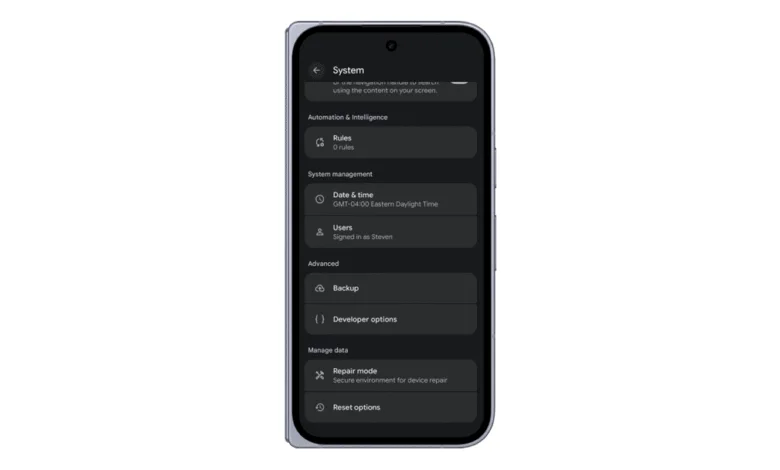
The Android Studio engineering team has officially announced the rollout of ADB Wi-Fi 2.0, a comprehensive architectural overhaul designed to make wireless debugging significantly faster, more reliable, and easier to configure. Spearheaded by Product Manager Steven Jenkins, Senior Software Engineer Sherif Eid, and Staff Software Engineer Fabien Sanglard, this latest iteration directly addresses persistent developer complaints regarding connection drops, high latency, and setup friction. By completely rebuilding the underlying server stack and introducing smarter network handling algorithms, Google aims to streamline the mobile development workflow across a diverse ecosystem of Android form factors, including smartphones, tablets, Wear OS smartwatches, and Android TVs.
Background Context and Evolution of Wireless Debugging on Android
For years, Android application development relied heavily on physical tethering via USB cables to deploy, test, and debug code. While wired connections offered stable data transmission, they introduced physical constraints, wear and tear on device charging ports, and cumbersome desk setups. Recognizing the need for modern mobility in software engineering, Google previously introduced initial wireless debugging capabilities leveraging the Android Debug Bridge (ADB).

However, early implementations often struggled with environmental interference, local network configurations, fluctuating Wi-Fi signal strengths, and complicated pairing procedures. Developers frequently encountered frustrating connection timeouts and unexpected disconnections mid-debugging session, forcing many to revert to traditional cables. Recognizing that modern development environments demand seamless wireless integration, the Android Studio team initiated a multi-year project to evaluate failure points across the entire stack. This extensive research culminated in the development of ADB Wi-Fi 2.0, a modernized architecture built to withstand the complexities of modern office and home networking environments.
Rebuilding the Core Stack: What Changed in ADB Wi-Fi 2.0
To achieve a dramatic leap in performance and reliability, the engineering team did not merely patch existing code; they undertook a fundamental reconstruction of all three core components that comprise the wireless debugging architecture: the local host ADB server, the device-side adbd daemon, and the Android Studio integrated development environment (IDE).
By modernizing the communication protocols between the host machine and the target device, the new architecture minimizes packet loss and optimizes data throughput. Smarter network handling allows the system to intelligently manage IP address changes, local subnet shifts, and brief network interruptions without abruptly terminating the debugging session. Furthermore, the pairing and connection workflows have been simplified to eliminate redundant manual steps, enabling developers to establish a secure connection via QR codes or pairing codes with minimal friction.

Quantifiable Performance Gains and Empirical Data
Internal testing and telemetry data released by the Android Studio team highlight substantial performance improvements across various connection metrics. Most notably, auto-connection success rates have improved by 32 percent compared to the legacy stack. This means developers spend significantly less time troubleshooting why their IDE cannot locate a previously paired device on the local network.
Additionally, connection speed has increased by 66 percent for approximately 90 percent of established connections. This acceleration translates to faster APK installations, quicker logcat streaming, and more responsive breakpoint evaluations during active debugging sessions. By reducing the latency overhead traditionally associated with wireless debugging, ADB Wi-Fi 2.0 bridges the performance gap between wired and wireless workflows, making untethered development a viable and efficient standard for professional engineers.
Cross-Platform Compatibility and Setup Workflow

ADB Wi-Fi 2.0 is designed to support the entire spectrum of Android-powered devices. Whether developers are building lightweight applications for Wear OS smartwatches, designing immersive interfaces for Android TVs, or optimizing complex software for high-end smartphones and tablets, the new stack delivers a uniform debugging experience.
Getting started with the updated system requires developers to utilize the latest stable or preview versions of Android Studio and ensure that target devices are running compatible software updates. The configuration process leverages updated UI elements within Android Studio, guiding users through network pairing via QR codes or IP and port entry. Comprehensive documentation and step-by-step video tutorials—such as the technical presentation delivered at Android Makers by droidcon 2026—are publicly available to assist teams in migrating their existing workflows to the new framework.
Industry Implications and Developer Community Reception
The release of ADB Wi-Fi 2.0 arrives at a time when remote and hybrid work models remain prevalent among software development teams. As developers increasingly rely on portable workstations, multi-device testing labs, and diverse hardware testing farms, the demand for robust wireless infrastructure has never been higher.

Early reactions from the broader Android developer community on platforms such as X (formerly Twitter), LinkedIn, and YouTube have been largely positive. Engineers have praised the focus on reliability metrics, noting that even minor reductions in connection friction compound into significant productivity gains over the course of a standard workday. By addressing long-standing pain points in the wireless debugging pipeline, Google has reinforced its commitment to developer ergonomics and tooling efficiency.
Looking Ahead and Feedback Channels
As the rollout of ADB Wi-Fi 2.0 progresses globally, the Android Studio team continues to monitor telemetry and gather user feedback to fine-tune network handling under edge-case conditions. Developers encountering bugs, unexpected disconnections, or specific network incompatibilities are encouraged to utilize the official Android Developer issue tracker to report problems. Continuous community engagement remains a cornerstone of the Android engineering lifecycle, ensuring that future updates will continue to evolve in direct response to real-world usage patterns and developer requirements.