
Indonesia Fortifies Maternal and Child Health with IDR 3 Million Social Assistance for Pregnant Women

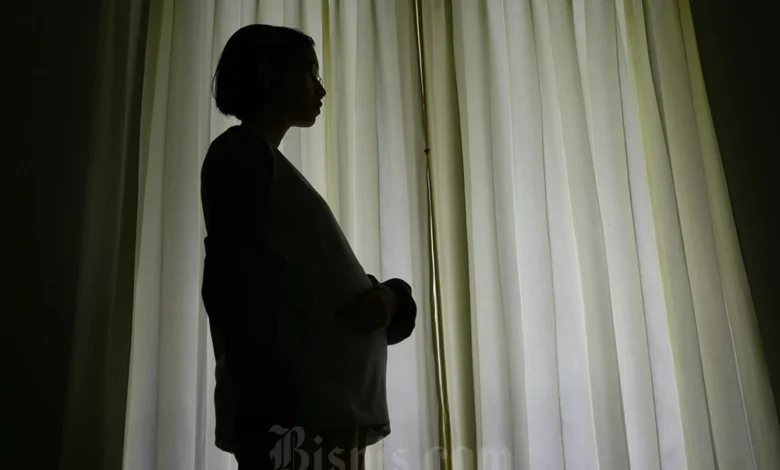
JAKARTA – The Indonesian government is reinforcing its commitment to public welfare and human capital development by providing IDR 3,000,000 in social assistance annually to pregnant women from pre-prosperous families. This significant initiative, delivered through the Program Keluarga Harapan (PKH) managed by the Ministry of Social Affairs, is designed to elevate family well-being and critically, to combat the pervasive issue of stunting across the archipelago. The program underscores a strategic governmental approach to breaking the cycle of intergenerational poverty by investing in health and quality of life from the earliest stages of human development.
A Pillar of Social Protection: The Program Keluarga Harapan (PKH)
The social assistance for pregnant women is an integral component of the broader Program Keluarga Harapan (PKH), a conditional cash transfer (CCT) program first launched by the Indonesian government in 2007. PKH aims to alleviate poverty and improve human development outcomes for vulnerable families by providing financial aid contingent on specific compliance behaviors, particularly in health and education. Beyond pregnant women, PKH extends support to families with young children, school-aged children, persons with disabilities, and the elderly, ensuring a comprehensive safety net for the nation’s most vulnerable demographics.
The inclusion of pregnant women as a key beneficiary group within PKH highlights the government’s recognition of the critical importance of the prenatal period for long-term health and developmental outcomes. By encouraging regular antenatal care (ANC) visits to health facilities, the program seeks to ensure the health of both mother and unborn child, thereby laying a robust foundation for a healthier future generation. This proactive approach is not merely about financial support; it is a catalyst for behavioral change, promoting health-seeking behaviors that are essential for maternal and infant well-being.
Addressing the National Challenge of Stunting
One of the primary strategic objectives behind this social assistance program is to accelerate the reduction of stunting, a condition characterized by impaired growth and development due to poor nutrition, repeated infection, and inadequate psychosocial stimulation. Stunting in early childhood has irreversible long-term consequences, including poor cognition and educational performance, reduced adult productivity, and increased risk of non-communicable diseases. According to data from the Ministry of Health, Indonesia has been striving to significantly lower its stunting prevalence, with a national target to reduce it to 14% by 2024. While progress has been made, the challenge remains substantial, particularly in remote and disadvantaged areas.
The IDR 3,000,000 annual aid directly addresses several root causes of stunting during pregnancy. Firstly, it enhances a family’s capacity to afford nutritious food, which is vital for fetal development. Secondly, the conditionality linked to regular health checks ensures that pregnant women receive necessary medical supervision, vaccinations, and nutritional counseling, all of which are crucial for preventing complications and promoting healthy fetal growth. Public health experts emphasize that interventions during the "first 1,000 days of life" – from conception to a child’s second birthday – are the most critical window for preventing stunting. This program positions itself squarely within this vital period, offering support precisely when it can have the most profound impact.
Financial Mechanics and Disbursement Schedule for 2026
The social assistance designated for pregnant women totals IDR 3,000,000 per year. To ensure the sustained utility of the aid throughout the pregnancy and beyond, the government has adopted a phased disbursement approach. Rather than a single lump sum, the total amount is meticulously divided into four equal stages, with each stage providing IDR 750,000. This quarterly distribution mechanism is designed to provide continuous financial support, allowing families to manage expenses related to nutrition, health check-ups, and other essential needs over the entire duration of the pregnancy and into the early postnatal period.
For the year 2026, the Ministry of Social Affairs has outlined a clear disbursement schedule to facilitate planning and transparency for beneficiaries:
- Tahap 1 (Stage 1): January – March 2026 (IDR 750,000)
- Tahap 2 (Stage 2): April – June 2026 (IDR 750,000)
- Tahap 3 (Stage 3): July – September 2026 (IDR 750,000)
- Tahap 4 (Stage 4): October – December 2026 (IDR 750,000)
The funds are channeled directly into bank accounts designated by the government for beneficiaries, streamlining the process and minimizing potential for intermediaries. This system not only ensures efficient delivery but also promotes financial literacy and inclusion among recipient families.
Eligibility Criteria for Beneficiaries
To ensure the aid reaches those who need it most, stringent eligibility criteria have been established for pregnant women seeking to receive the PKH social assistance. These criteria align with the broader framework of social protection programs in Indonesia, focusing on households identified as most vulnerable. While specific details may be updated periodically by the Ministry of Social Affairs, the general requirements typically include:
- Registered in the Integrated Social Welfare Data (DTKS): The applicant and her family must be officially registered in the Data Terpadu Kesejahteraan Sosial (DTKS), which serves as the national database for social welfare programs. This ensures that aid is targeted to households officially recognized as poor or vulnerable.
- Belonging to a Beneficiary Family (KPM): The pregnant woman must be a member of a Keluarga Penerima Manfaat (KPM) or Beneficiary Family, which means the household has been assessed and deemed eligible for social assistance based on socio-economic indicators.
- Non-Government Employee Status: Neither the pregnant woman nor her immediate family members should be active civil servants (ASN), members of the Indonesian National Armed Forces (TNI), or the National Police (Polri), as these groups typically have different welfare provisions.
- Income Thresholds: The household’s income and assets must fall below the nationally determined poverty line or vulnerability thresholds, ensuring the aid prioritizes those in genuine economic need.
- Active Pregnancy: The applicant must be genuinely pregnant, verified through medical documentation or regular health checks as required by the program.
- Indonesian Citizen and Resident: The applicant must be an Indonesian citizen residing within the territory of Indonesia.
- Commitment to Conditionalities: Beneficiaries must commit to fulfilling the conditionalities of the PKH program, which for pregnant women primarily involves regular antenatal check-ups at accredited health facilities and adherence to health guidelines.
These criteria are regularly reviewed and updated to reflect socio-economic changes and optimize the program’s reach and effectiveness.
Registration and Verification Process
For eligible citizens not yet enrolled in the PKH program, the government has simplified the registration process, leveraging digital platforms to enhance accessibility and efficiency. The application typically involves a multi-step verification to ensure data accuracy and prevent fraud:
- Initial Application via Desa/Kelurahan: Prospective beneficiaries can initiate the application process at their local Village (Desa) or Sub-district (Kelurahan) office. Here, they will be guided through the initial data collection and documentation submission.
- Data Collection and Entry into DTKS: Local social welfare officers or designated village officials will collect necessary personal and household data, including identity cards (KTP), family cards (KK), and proof of pregnancy. This data is then submitted for inclusion or update in the DTKS database.
- Verification and Validation: The submitted data undergoes a rigorous verification and validation process by local government agencies, often involving field visits to confirm the socio-economic status of the household. This step is crucial to ensure that only truly eligible families are included.
- Official Designation as KPM: Once verified and approved, the household is officially designated as a Keluarga Penerima Manfaat (KPM) and enrolled in the PKH program, making the pregnant woman eligible for the specific component of aid.
- Utilizing the "Cek Bansos" Application: The government also facilitates self-registration or updates through its official "Cek Bansos" (Check Social Assistance) mobile application. While direct registration for new beneficiaries might still require initial village-level interaction, the app serves as a vital tool for managing and verifying data for existing or potential beneficiaries.
This integrated approach aims to reduce bureaucratic hurdles and empower communities to participate actively in the social welfare system.
Monitoring and Checking Disbursement Status
Transparency and accessibility are key tenets of the PKH program. Beneficiaries and the public can easily monitor the status of social assistance disbursements, including those for pregnant women, through official government channels. This ensures accountability and allows beneficiaries to track their entitlements.
-
Via the Official Website:
- Access the official "Cek Bansos" website (e.g., cekbansos.kemensos.go.id).
- Enter the province, regency/city, sub-district, and village/kelurahan of residence.
- Input the full name of the beneficiary as it appears on their KTP.
- Enter the captcha code for verification.
- Click "Cari Data" (Search Data) to view the status of various social assistance programs, including PKH. The system will display information on the beneficiary’s status and the scheduled disbursement stages.
-
Via the "Cek Bansos" Mobile Application:
- Download and install the "Cek Bansos" application from official app stores.
- Log in using registered credentials (or register if a new user).
- The application provides a personalized dashboard where users can view their registration status, eligibility for various programs, and the progress of their social assistance disbursements based on their NIK (Nomor Induk Kependudukan or National Identity Number).
- Users can also submit complaints or inquiries through the app, fostering direct communication with the Ministry of Social Affairs.
These tools are crucial for empowering beneficiaries, allowing them to independently verify information and ensuring the program’s smooth operation.
Official Perspectives and Broader Implications
Officials from the Ministry of Social Affairs have consistently emphasized the transformative potential of the PKH program, particularly its components targeting vulnerable groups like pregnant women. A Ministry spokesperson reiterated, "This social assistance is more than just financial aid; it is an investment in our nation’s future. By supporting pregnant mothers, we are directly contributing to the birth of healthier, smarter children, who will become productive citizens and break the cycle of poverty." This sentiment is echoed by public health experts who highlight the long-term economic benefits of reducing stunting and improving maternal health outcomes, citing studies that link early childhood development to national economic growth.
Economists also weigh in on the effectiveness of conditional cash transfers like PKH. Dr. Retno Wulan, a social policy analyst, notes, "CCTs have proven to be a highly effective mechanism for poverty reduction and human capital development in developing countries. The conditionalities ensure that the funds are not just consumed but are also directed towards essential services like health and education, creating positive externalities for both families and the broader community."
The implications of this program extend beyond individual family welfare. It strengthens Indonesia’s social safety net, providing a crucial buffer against economic shocks for its most vulnerable populations. By integrating financial aid with health-seeking behaviors, the program fosters a culture of preventive healthcare, which can lead to reduced burdens on the public health system in the long run. Moreover, the robust data collection and verification systems built around DTKS and the "Cek Bansos" app contribute to a more transparent and accountable governance framework for social protection.
However, challenges remain. Ensuring accurate data collection, reaching remote and marginalized communities, and continuously monitoring the impact of the conditionalities are ongoing tasks. The government must also contend with issues such as financial literacy among beneficiaries to ensure the funds are utilized effectively for their intended purposes.
In conclusion, the IDR 3,000,000 social assistance for pregnant women within Indonesia’s PKH program represents a comprehensive, multi-faceted approach to national development. It is a testament to the government’s unwavering commitment to fostering a healthier, more prosperous future for all its citizens by focusing on the foundational elements of maternal and child health. Through continued vigilance, adaptive policy-making, and community engagement, this program is poised to make a lasting positive impact on the lives of countless Indonesian families and the nation as a whole.