Compiling Workflows into Databases: The Architecture That Shouldn’t Work (But Does)

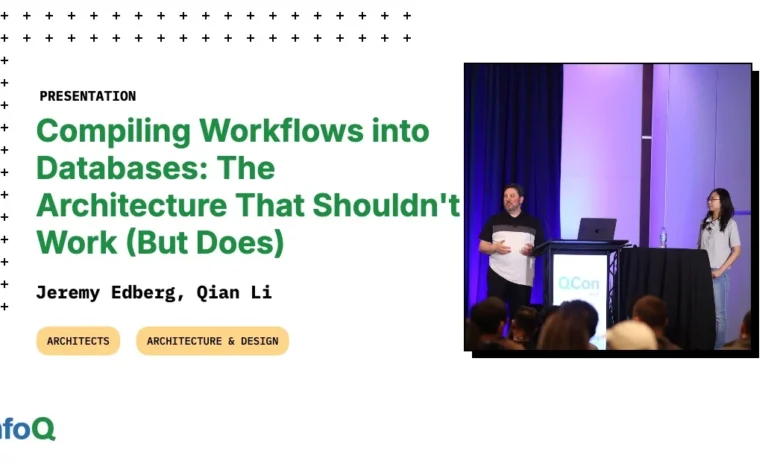
A presentation by Jeremy Edberg and Qian Li at InfoQ explored a novel approach to building resilient and scalable application workflows by leveraging the inherent capabilities of databases, challenging conventional distributed system architectures. The core argument presented is that by treating workflow execution state as data and managing it directly within a database, developers can simplify complexity, enhance reliability, and reduce operational overhead. This paradigm shift moves away from external orchestrators and complex microservice interdependencies towards an integrated, database-centric model.
The Challenge of Modern Workflows
In today’s application development landscape, workflows are ubiquitous. From processing millions of documents for AI ingestion and querying to managing payment transactions with strict "exactly once" execution guarantees, complex sequences of operations are fundamental. However, building these workflows presents significant challenges. Jeremy Edberg, formerly of Netflix, Reddit, and Amazon, highlighted the inherent fragility of traditional approaches. These often involve a distributed system of components: document downloaders, message queues (like RabbitMQ or Kafka), processing services, and Artificial Intelligence (AI) models. Each of these components is a potential point of failure.
"AIs break all the time. They give bad answers, no answers, wrong answers," Edberg stated, illustrating the unreliability of AI models themselves. Beyond AI, external factors like internet connectivity issues for downloading, or the breakdown of coordinator services, can derail entire processes. The cost of these failures is escalating, not only in terms of financial expenditure and customer dissatisfaction but also because AI is increasingly making real-world decisions that impact individuals. The demand for precise, reliable outcomes, especially in sensitive areas like financial transactions, necessitates a robust solution.
Current solutions often lack visibility. When using queues, it’s difficult to ascertain the exact state of work, identify failures, or track retries without significant custom logging infrastructure. This leads to a "fly blind" scenario where recovery is often left to chance. Furthermore, the proliferation of microservices has resulted in a scattered orchestration landscape, with multiple coordinators and databases managing data movement. This constant data shuffling is identified as one of the most expensive aspects of distributed systems. Edberg emphasized that existing tools, largely designed for sub-second web responses or long-running batch jobs, are ill-equipped to handle the nuances of AI workloads, which typically fall into an intermediate latency range of seconds, with users expecting timely responses.
The Proposed Solution: Workflows as a Database-Backed Library
The presentation introduced a compelling alternative: leveraging the existing database as the central nervous system for workflow execution. The core premise is that workflows, in essence, are stateful data, and databases are exceptionally adept at managing data. Qian Li, a former Stanford grad student who co-created the DBOS project, elaborated on this. "We figure out that we don’t need all sorts of moving parts. You don’t need a separate orchestration. You don’t need a separate worker pool. You don’t need separate servers to orchestrate everything," she explained.
This approach advocates for building workflows as a library, integrated directly into the application code. Instead of external systems dictating workflow execution, the database stores the workflow state, and the application logic orchestrates operations by interacting with this state. The key benefits of this library-based approach are:
- Simplicity and Reduced Complexity: Eliminates the need for separate orchestration servers, worker pools, and complex inter-service communication protocols.
- Enhanced Reliability: Centralizing state management in a robust database reduces the number of potential failure points. Databases are designed for durability and consistency.
- Improved Visibility: All workflow states, inputs, and outputs are stored in the database, allowing for straightforward querying and auditing.
- Lower Operational Cost: Reuses existing database infrastructure and application servers, avoiding the overhead of managing additional distributed systems.
- Developer Experience: Integrates seamlessly with existing programming languages and frameworks, allowing developers to write workflows as ordinary functions.
The Transact Open-Source Library
To demonstrate this concept, the presenters introduced the Transact open-source library. Available for Python, TypeScript, Go, and Java, Transact is built on top of PostgreSQL and serves as a reference implementation for database-backed workflows. The library allows developers to register workflows and steps as regular functions. The library then handles the heavy lifting of checkpointing execution state into the database and managing resumption from interruptions.
At its core, durable execution relies on two main principles: checkpointing workflow state for durability and ensuring "exactly once" execution to prevent duplicate work. Transact achieves this by wrapping workflow and step functions. Before executing a workflow, its inputs are checkpointed. After each step completes, its output is also checkpointed. If an interruption occurs (e.g., server crash, out-of-memory error), the system can recover by loading the checkpoints from the database. This allows execution to resume from the last completed step, rather than restarting from the beginning, thus guaranteeing "exactly once" execution.
The database schema for Transact is straightforward, typically involving a workflow_status table for overall workflow metadata and a step_outputs table to store individual step results, linked by a workflow ID. This simple structure enables powerful management capabilities directly through SQL.
The Good, The Bad, and The Ugly of a Library-Based Workflow Engine
The library-based approach offers significant advantages:
- Interoperability: It plays well with existing stacks, requiring minimal refactoring of legacy code. Developers can integrate durability without a complete application overhaul.
- Developer Experience: The API is designed to be intuitive and language-idiomatic, working seamlessly with frameworks like FastAPI, Spring Boot, and AI libraries such as LangChain.
- Low Operational Cost: It runs entirely in-process, eliminating the need for separate orchestrators or worker servers, and leverages existing infrastructure.
- Performance: By avoiding external round trips to orchestrator services, latency is drastically reduced. Benchmarks comparing Transact against AWS Step Functions showed significantly lower latencies as the number of workflow steps increased, with the library-based approach incurring only minimal database checkpointing overhead.
- Powerful Management Capabilities: All workflow management can be performed via SQL queries, enabling easy listing, searching, cancellation, and resumption of workflows. A novel feature is "workflow forking," analogous to Git branching, allowing developers to restart a workflow from a specific step with updated code to fix bugs or explore alternative execution paths. This is achieved by copying past execution states to a new workflow instance.
However, the approach also has limitations:
- Language-Specific Implementation: A custom library must be built for each programming language to ensure a familiar developer experience. This requires reimplementing the core logic in multiple languages, although the underlying database schema and queries can be shared.
- Database-Bound Scalability: While databases scale well, ultimately, the system’s write throughput can become a bottleneck. For very high-volume scenarios, advanced database scaling techniques like sharding or distributed database offerings would be necessary.
The "ugly" aspects refer to the fundamental challenges of implementing this architecture without a central orchestrator:
- Implementing Queues: To manage asynchronous execution, batching, or rate limiting, the
workflow_statustable can be extended to act as a queue. However, with a large number of workers polling the same table, lock contention becomes a significant issue. The solution lies in using database features likeSKIP LOCKED(in PostgreSQL) to allow workers to efficiently acquire tasks without blocking each other. - Decentralized Cron Scheduling: Implementing cron-like scheduling without a central orchestrator requires each worker to run a scheduler. Using the scheduled time as an idempotency key in the database ensures uniqueness. To mitigate database contention when many workers try to enqueue jobs simultaneously, a random jitter is added to the wake-up times, allowing workers to check the database for existing entries and skip redundant executions.
Broader Impact and Implications
The implications of this database-centric workflow approach are far-reaching. For testing, the library-based model simplifies integration and unit testing by allowing developers to use existing language-specific mocking and testing tools directly against the database. Security and compliance are enhanced as all state remains within the organization’s infrastructure, providing a clear audit trail of every operation. This makes compliance with regulations like GDPR or HIPAA more manageable.
The ability to perform anomaly detection using simple SQL queries on the stored workflow data is another significant benefit. Identifying out-of-band inputs, PII, or other sensitive data becomes a routine database operation. This fosters a shift from external orchestration, which adds complexity and fragility, to internal orchestration as a library, leading to simpler, more robust systems.
The approach also has profound implications for AI integration. AIs can more easily understand and interact with a single codebase that encapsulates workflow logic, especially when provided with context about the durable execution library. This contrasts with the difficulty AIs face in generating complex distributed system configurations using tools like YAML and Terraform.
The Transact library itself is integrated into various ecosystems, including Pydantic AI, and its MIT license allows for widespread adoption and customization. The presenters encouraged developers to star their favorite language implementations on GitHub and to consider building their own durable execution libraries. They posited that building software durably is simply a better way to build and operate software, leading to happier developers and operators alike.
Looking ahead, the team sees opportunities for further development in observability through SQL-based dashboards, performance optimizations derived from SQL query tuning, and the creation of standardized query packs for common workflow management tasks. The core message remains that the database is a powerful, underutilized resource for managing complex application logic and state, offering a path towards more resilient, efficient, and understandable software systems.