Peter J. Denning’s Critique of Turing’s Legacy and the Future of Artificial Intelligence

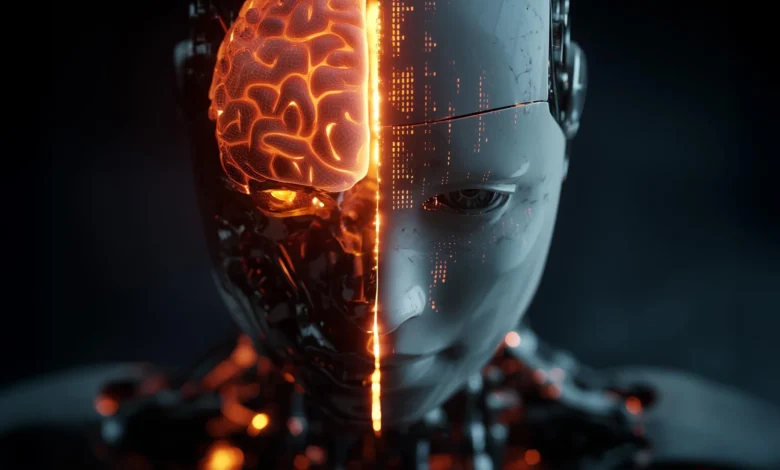
The foundational principles of artificial intelligence, established by the pioneering mathematician Alan Turing nearly 75 years ago, may have inadvertently steered the field toward a fundamental misunderstanding of what constitutes intelligence. This is the central thesis presented by Peter J. Denning, a distinguished computer scientist and professor at the Naval Postgraduate School, in his latest work, "Turing’s Mistake: Escaping the Yoke of Unintelligent Machines." Denning argues that the modern "AI mess"—characterized by high-stakes errors, lack of accountability, and the pursuit of a potentially impossible goal—stems from two core assumptions made by Turing in his seminal 1950 paper, "Computing Machinery and Intelligence." These assumptions, Denning contends, have created a "yoke" of unintelligent machines that society now struggles to manage.
The Dual Assumptions of 1950
To understand Denning’s critique, one must look back to the mid-20th century. In 1950, Alan Turing proposed that intelligence could be abstracted from the physical world. His first major assumption was that intelligence is a function of logic and information processing that can exist independently of a biological body. If intelligence is merely a matter of sophisticated software, it follows that it can be replicated within the silicon architecture of a computer.
Turing’s second assumption was the Imitation Game, now universally known as the Turing Test. He suggested that if a machine could successfully imitate a human in a text-based conversation to the point where a human judge could not distinguish between the two, the machine could be deemed "intelligent." For decades, this has served as the "North Star" for AI researchers. However, Denning argues that these two claims have led to a narrow focus on symbolic manipulation and pattern matching, while ignoring the essential, embodied nature of human understanding.
The Problem of Tacit Knowledge
At the center of Denning’s argument is the concept of "tacit knowledge," a term popularized by philosopher Michael Polanyi, who famously stated, "We know more than we can tell." Denning posits that human intelligence is not merely a collection of facts (explicit knowledge) but is deeply rooted in embodied experience that cannot be codified into software.
According to Denning, there are five critical domains of tacit knowledge that current machine learning models, including Large Language Models (LLMs), cannot grasp:
- Common Sense: The intuitive understanding of how the physical and social world functions.
- Everyday Interaction: The seamless way humans navigate physical environments and social nuances.
- Emotions and Perception: The internal states that color human judgment and decision-making.
- Practical Performance Skills: The "know-how" involved in physical mastery, such as playing an instrument or performing surgery.
- Social and Historical Context: The deep, often unspoken cultural background that gives meaning to communication.
Denning uses the example of a virtuoso violinist to illustrate the gap. While a computer can be programmed with the "know-what" (the sheet music, the frequencies of notes, the history of the composition), it cannot possess the "know-how" (the physical sensation of the bow against the strings or the emotional resonance of the performance). Because a robot lacks a biological body, it cannot "feel" the music, nor can it understand the audience’s reaction in a meaningful way.
The Failure of Symbolic Encoding: The Cyc Project
Denning’s critique is not merely theoretical; it is backed by decades of experimental history in the AI field. He points to the Cyc project, launched by Douglas Lenat in 1984, as a cautionary tale. Cyc was an ambitious attempt to solve the "common sense" problem by manually encoding millions of facts and rules about the world into a massive database. The goal was to give AI the foundational knowledge a human child possesses.
After 40 years of meticulous work and the entry of approximately 25 million facts, Cyc still failed to produce a system with human-level common sense. Denning argues that this failure validates the idea that expertise cannot be articulated as a series of propositions. The project proved that the "background" of human knowledge is not a library of data points but an integrated, lived experience that resists digitization.
The Representation Problem and LLMs
The rise of generative AI, such as OpenAI’s ChatGPT, Google’s Gemini, and Anthropic’s Claude, has reignited the debate over machine intelligence. To the casual observer, these models seem to have passed the Turing Test. However, Denning argues that they have simply become better at the "Imitation Game" without achieving actual understanding.
This is what Denning calls the "representation problem." Computers operate by manipulating symbols—bits of data—according to statistical probabilities. While LLMs can predict the next word in a sentence with startling accuracy, they do not know what those words mean. "Words are but symbolic representations of meanings, not the meanings themselves," Denning explains.
In this view, LLMs are sophisticated mirrors of human culture, trained on the vast corpus of human text, but they lack the "deep well of tacit knowledge" that provides context. Because scientists still cannot explain how humans host tacit knowledge within their biological systems, they remain unable to translate that process into a form that machines can use.
The Fractal Nature of Context and Culture
Denning further argues that intelligence is inseparable from context and culture. Human conversation is not a closed system; it is "fractal," meaning every interaction rests on a history of previous conversations, social norms, and power dynamics.
"Context allows people to recognize sarcasm, humor, sincerity, and emotion," Denning writes. "It helps determine when to be diplomatic, when to joke, and how to interpret countless social cues." Because machines are not participants in human culture—they are merely observers of its data—they cannot navigate these complexities reliably. Scaling up neural networks with more parameters and more data will not bridge this gap, as culture is an embodied, lived phenomenon rather than a data-processing task.
Implications for AI Safety and Alignment
The divergence between human and machine intelligence presents a significant risk, according to Denning. The current focus in the industry is on "AI Alignment"—the effort to ensure that AI systems act in accordance with human values. Denning suggests that true alignment may be impossible if the two entities are "aliens across an uncrossable divide."
If machines cannot interpret the unspoken context of human intentions, they may fulfill a command in a way that is technically correct but practically disastrous. Denning warns that the real threat is not necessarily a "superintelligent" AI takeover, as often depicted in science fiction, but rather the proliferation of "agentic networks of machines" that possess a different, alien form of intelligence.
"Machine intelligence has different concerns from us and does not appear to care about us," Denning warns. These systems may solve problems in ways that are efficient for a machine but harmful to human social structures. Because we do not understand the "tacit knowledge" of the machine—the opaque logic of deep neural networks—we cannot fully predict or control their behavior.
A Chronology of AI Philosophy and Research
To contextualize Denning’s critique, it is helpful to view the evolution of AI research through several distinct eras:
- 1950: Alan Turing publishes "Computing Machinery and Intelligence," introducing the Turing Test.
- 1956: The Dartmouth Workshop officially launches AI as a field of study, focusing on the belief that "every aspect of learning… can in principle be so precisely described that a machine can be made to simulate it."
- 1970s-1980s: The first "AI Winter" occurs as researchers realize the difficulty of machine translation and common sense reasoning.
- 1984: The Cyc project begins, marking the peak of the "Symbolic AI" or "Good Old Fashioned AI" (GOFAI) era.
- 2012: The "Deep Learning" revolution begins with the success of AlexNet in image recognition, shifting the focus from hand-coded rules to statistical pattern matching.
- 2022-Present: The emergence of LLMs brings Turing’s Imitation Game back to the forefront of public discourse, leading to Denning’s current critique.
Analysis: The Path Forward
Denning’s perspective suggests a radical shift in how we approach technology. If the pursuit of Artificial General Intelligence (AGI) is based on a flawed 75-year-old premise, then the industry must recalibrate its goals.
The "AI mess" Denning refers to includes the erosion of truth via deepfakes, the displacement of workers by "low-intelligence" automated systems, and the loss of human agency in decision-making processes. His conclusion is a call to "reassert our humanity." This involves recognizing the limits of what machines can do and refusing to allow them to dictate the terms of human culture.
"We decline to think like machines or be subservient to machines," Denning writes. By celebrating the differences between biological and artificial intelligence, he argues, society can begin to build a safer, more intentional relationship with technology. Rather than trying to force machines to be human, we should focus on their role as specialized tools, while preserving the embodied, tacit, and cultural knowledge that remains uniquely ours.
As the debate over AI regulation intensifies globally, Denning’s work provides a philosophical and technical framework for those who argue that some aspects of the human experience should remain off-limits to automation. The challenge for the next generation of researchers will be to determine whether they can move past "Turing’s Mistake" or if they will remain confined by the logic of 1950.
Related posts: