Googlebook Introduces Preview of Linux Terminal to Power Agentic AI Workflows and Developer Productivity

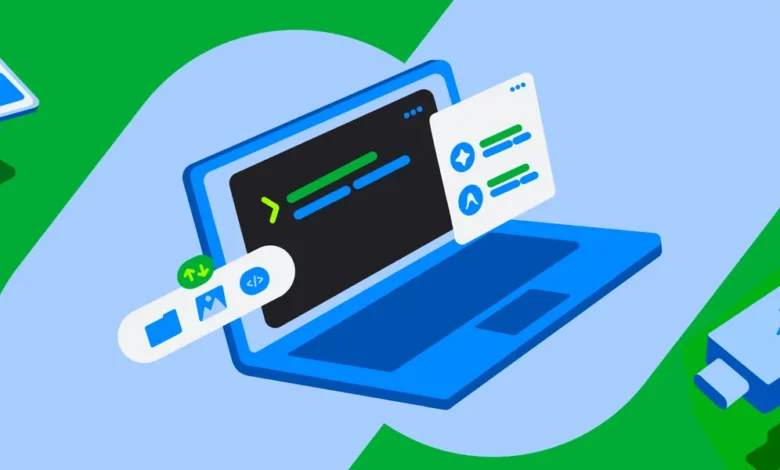
The landscape of artificial intelligence integration continues to shift rapidly, compelling hardware and software ecosystems to adapt to the demands of agentic workflows. Today marks a significant step forward as Googlebook officially rolls out a preview of its new Linux terminal environment. Designed to bridge the gap between non-programmer end-users and advanced AI frameworks, the newly introduced terminal aims to democratize access to command-line interfaces (CLIs). In an era where getting the most out of automated intelligence requires deep system interaction, this pre-installed tooling setup provides a robust bridge for users seeking to express themselves, prototype applications, and automate complex tasks using plain-language prompts.
The Rise of Agentic Development and Accessibility
The imperative behind bringing a fully functional Linux terminal to Googlebook stems from the explosive growth of agentic artificial intelligence. Modern AI agents rely heavily on command-line operations to execute multi-step engineering tasks. These agents routinely install software packages, write and modify code files, automate repetitive workflows, and spin up functional applications based entirely on natural language instructions.
For Googlebook to serve as an effective frontier workstation for AI-driven productivity, accessibility was paramount. However, granting advanced AI systems and human operators deep system access has historically introduced severe security concerns. To address this, developers engineered Googlebook OS with a rigorous defense-in-depth architecture. Every terminal command executes inside an isolated, containerized Linux Virtual Machine (VM), creating a secure sandbox environment. This design allows users to safely grant elevated administrator privileges—such as sudo access—to autonomous AI tools and platforms like Antigravity without risking host system corruption or exposing private user files to unauthorized modifications.
Security is further reinforced through strict boundary controls. The Linux VM operates in complete isolation from the host operating system, and individual directories are only mounted following explicit user authorization. For scenarios where experimentation goes awry, Googlebook has implemented a streamlined, one-click VM reset function. This feature ensures that users can test aggressively, run arbitrary scripts, and reset their environment to a pristine state without losing critical data stored on the host file system.
Integration with the Host Ecosystem and Local Files
The utility of the new terminal extends well beyond isolated command-line execution by weaving deeply into the core user experience of Googlebook OS. Users can seamlessly view and interact with their Linux file directory directly through the native Googlebook Files app. This integration bridges local folders with data effortlessly synchronized from secondary devices, such as Android smartphones, including media libraries and documents.
This frictionless data accessibility enables users to leverage lightweight Python scripts or automated AI agents to execute batch-processing tasks on local files in mere seconds. Rather than manually sorting through hundreds of photos or documents, individuals can construct simple automated pipelines that operate directly on their synced directories. By combining the flexibility of a Debian Linux distribution with the convenience of a consumer operating system, Googlebook has crafted a versatile environment suited for both casual automation and heavy data manipulation.
Robust Linux VM Capabilities and Developer Workflows
At its core, the preview environment harnesses a standard Debian Linux distribution, granting users immediate access to a mature, highly reliable developer ecosystem. This inclusion ensures out-of-the-box compatibility with ubiquitous command-line utilities and package managers, including apt, git, and ssh, alongside standard compilers and runtime environments.
Performance and adaptability are central to the VM’s design. The environment is optimized to support rapid prototyping, web development, scripting, and CLI-driven agentic workflows. Key technical features include:
- Automatic Localhost Port Forwarding: Developers can spin up local web servers within the Linux environment and immediately view their applications inside the host operating system’s web browser without manual networking configuration.
- Modern Runtime Support: Pre-configured support for contemporary development ecosystems, encompassing Node.js, Python, Ruby, Go, and Rust.
- Resource Customization: Users retain the ability to dynamically allocate memory resources to the Linux VM, tailoring hardware allocation to match the specific computational demands of their current workloads—ranging from simple script execution to intensive platform engineering tasks.
Internal reports from Googlebook engineering teams indicate that the terminal has already been put to rigorous use, with developers successfully utilizing the environment for complex tasks such as compiling Linux kernels and managing heavy platform engineering infrastructure.
Industry Context and the Evolution of Consumer Computing
The launch of the Googlebook Linux terminal arrives at a pivotal juncture in the personal computing and software development industries. Over the past several years, the boundary between traditional consumer operating systems and developer-centric environments has steadily eroded. As generative artificial intelligence transitions from conversational chat interfaces to autonomous "agents" capable of executing code and manipulating file systems, hardware manufacturers face mounting pressure to provide secure, sandboxed command-line access to non-technical users.
Historically, operating systems designed for the general consumer market have prioritized closed ecosystems to maximize security and ease of use, often at the expense of deep programmability. Conversely, developer-focused machines have offered unfettered terminal access while exposing users to significant security risks, malware vectors, and system instability. Googlebook’s approach—combining a sandboxed Debian virtual machine with strict, user-controlled directory mounting and instant state resets—represents a novel attempt to reconcile these competing priorities.
Industry analysts note that as software development shifts toward natural language prompting, the demand for embedded Linux environments in consumer-tier laptops and tablets will likely accelerate. By lowering the barrier to entry for CLI-based tools, platforms like Googlebook aim to capture a broader demographic of creative professionals, students, and hobbyists who wish to harness the power of custom automation without mastering traditional programming paradigms.
Future Roadmap and Community Engagement
While the Linux terminal and VM environment are currently available in preview, Googlebook engineering teams have outlined an ambitious roadmap for future development. Primary objectives include the introduction of full Linux graphical user interface (GUI) application support, complete with native integration directly into the system’s primary application launcher. This upcoming feature will allow users to run desktop-class Linux applications seamlessly alongside standard host applications, further blurring the line between the containerized environment and the underlying operating system.
As the ecosystem continues to evolve, Googlebook leadership has emphasized the importance of community collaboration in shaping the platform’s trajectory. Developers, hobbyists, and early adopters are encouraged to participate in ongoing discussions, share feedback, and report issues through official channels. Community hubs, including dedicated support portals and online forums such as the r/googlebook community on Reddit, have already seen robust engagement as users test the boundaries of the new terminal preview.
With the rollout of this versatile Linux environment, Googlebook is positioning its hardware and software ecosystem at the forefront of the agentic AI revolution. By balancing uncompromising security sandboxes with the boundless flexibility of the Linux command line, the platform aims to empower a new generation of creators, engineers, and automated workflow designers.