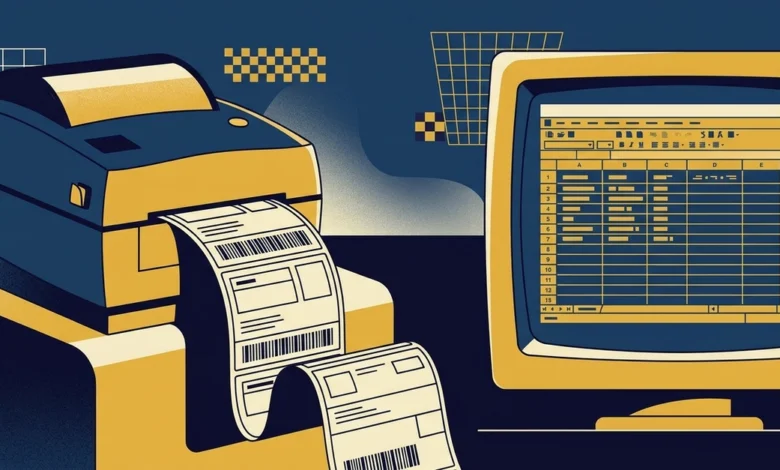
The challenge of integrating data from spreadsheet applications directly into industrial-grade thermal printing workflows remains a persistent technical hurdle for small-to-medium enterprises and logistics operations. While Zebra Technologies Corporation—a global leader in barcode, tracking, and asset management—provides high-performance hardware, the software ecosystem surrounding their label printers often forces users into a dichotomy: either utilize free, limited-functionality utilities that lack direct spreadsheet compatibility or invest in complex, enterprise-grade labeling suites that can command significant annual licensing fees.
The Technical Divide: Spreadsheet Data vs. Thermal Printing
The core of the issue lies in the communication protocol between standard office software and specialized thermal printers. Microsoft Excel functions primarily as a grid-based data management tool, while Zebra printers operate using ZPL (Zebra Programming Language), a command-based language that defines the placement of text, barcodes, and graphical elements on a thermal label.
For decades, the standard approach to bridging this gap was the mail merge function in word processing software. However, mail merge is optimized for standard desktop office printers using sheet-fed labels. When applied to roll-fed thermal printers, the document format often fails to translate the specific dimensions and hardware-specific commands required for Zebra’s specialized print heads. This mismatch forces users to manually re-enter data into proprietary label design software, a process that is not only time-consuming but prone to human error.
Chronology of Labeling Software Evolution
The evolution of label printing has moved from simple, manual typesetting to automated, data-driven systems. In the early 2000s, thermal printing was largely confined to high-volume manufacturing floors, where dedicated IT staff maintained expensive, proprietary software stacks. As the demand for barcode labeling trickled down to smaller businesses—driven by the rise of e-commerce and the necessity for inventory transparency—the software market failed to keep pace with the needs of the "prosumer" or small-business user.
By the mid-2010s, enterprise software providers began bundling labeling tools with complex ERP (Enterprise Resource Planning) systems. While robust, these suites often carried steep entry costs, sometimes exceeding several thousand dollars per license. This left a void in the market for mid-tier, specialized solutions that could bridge the gap between simple spreadsheet data and ZPL-based hardware without requiring the user to become a full-stack developer or a systems administrator.
Current Methodologies and Their Limitations
Today, businesses navigating this space typically choose from one of four primary methodologies, each carrying distinct operational trade-offs.

1. The Manual Mail Merge Approach
This remains the most accessible route for those with existing office infrastructure. By creating a label template in a word processor and pulling data from a linked Excel file, users can print labels on standard printers. However, this method is fundamentally incompatible with the continuous feed mechanism of thermal printers. It often results in misaligned labels, wasted stock, and an inability to utilize advanced features like real-time barcode generation or serial numbering.
2. Raw ZPL Programming
For technically proficient users, the most cost-effective method involves writing ZPL strings directly within Excel using complex formulas. By utilizing Excel’s string concatenation functions, a user can generate a full set of ZPL commands based on a spreadsheet row. While this is mathematically precise and requires no additional software, it is inherently fragile. Each label change requires a deep understanding of ZPL syntax, and testing requires multiple physical prints, which can be inefficient for high-volume operations.
3. Enterprise Design Software
Industry-standard tools like BarTender or NiceLabel offer a graphical user interface (GUI) that simplifies the process significantly. These tools allow for seamless database connectivity and high-level design. The primary drawback is the financial barrier to entry. For a small retail store or a startup, the cost of an enterprise license is rarely justified by the output, leading to what analysts call "over-provisioning"—paying for features, such as multi-user cloud integration or database server connectivity, that are never used.
4. Niche Desktop Utilities
In recent years, a new class of specialized, lightweight applications has emerged. These tools, such as ZebraSheet, focus on a singular objective: extracting data from a CSV or Excel file and outputting it directly to a Zebra-compatible format. These applications are often designed as "offline-first" solutions, which provide a security advantage for businesses handling sensitive inventory or shipping data. By maintaining a localized footprint, they minimize the latency associated with cloud-based labeling services.
Market Data and Efficiency Analysis
Industry reports indicate that small-to-medium businesses lose an average of 4.5 hours per week on manual data entry and formatting for label printing. When translated into labor costs, this represents a significant drag on operational efficiency. The transition from manual entry to an automated, spreadsheet-to-thermal workflow can reduce the time required for label preparation by up to 80%.
Furthermore, the error rate associated with manual re-keying of data—such as tracking numbers or SKU codes—is estimated to be between 1% and 3%. In logistics, a 2% error rate in labeling can lead to substantial downstream costs, including reshipment fees, customer service overhead, and loss of inventory visibility. Automation via direct spreadsheet integration effectively reduces this error rate to near zero, provided the source data is accurate.
The Role of Niche Software Development
The emergence of smaller, developer-led tools highlights a shift in software consumption. Rather than purchasing "bloatware" that attempts to solve every possible labeling scenario, users are increasingly seeking "single-purpose" tools. These tools are often developed by individuals or small teams who have identified specific friction points in the professional workflow.

For instance, developers of these tools emphasize the "what you see is what you get" (WYSIWYG) design philosophy, which mimics the ease of use found in standard office software while maintaining the high-fidelity output of professional thermal printers. By bypassing the need for heavy middleware or complex server-side installations, these utilities allow businesses to achieve "enterprise-level" output on a budget that aligns with small business operations.
Broader Implications for Logistics and Retail
The democratization of label printing technology has profound implications for the retail sector. As small businesses compete with massive online marketplaces, their ability to provide professional-grade shipping and inventory management is a key differentiator. The capacity to print accurate, compliant, and scannable labels on-demand allows smaller entities to scale their operations without needing to outsource their logistics to third-party providers.
Moreover, the shift toward sustainable and lean operational models favors these lightweight solutions. By reducing the reliance on high-cost, high-resource software, businesses can allocate their capital toward physical inventory and customer acquisition.
Implementation Best Practices
For organizations looking to optimize their labeling process, experts recommend a phased approach:
- Standardize Data Sources: Ensure that all Excel or CSV files are cleaned of formatting artifacts, such as merged cells or hidden characters, which can disrupt automated printing software.
- Verify Hardware Compatibility: While most tools are designed for Zebra printers, it is essential to ensure that the firmware of the printer is updated to support the ZPL versions generated by the software.
- Conduct Rigorous Pilot Testing: Before integrating a new software solution into a live workflow, perform a "dry run" using a limited batch of labels. This allows for the calibration of print density, darkness settings, and barcode readability.
- Prioritize Offline Security: For businesses dealing with proprietary inventory data, offline tools offer an inherent security benefit by ensuring that data remains within the local network perimeter rather than being processed on external cloud servers.
As the retail and logistics landscape continues to evolve, the integration of simple, efficient tools for thermal printing will remain a critical component of operational success. Whether through manual ZPL programming for the technically inclined or lightweight desktop applications for the pragmatic user, the ability to bridge the gap between Excel and the label printer is no longer a luxury reserved for the enterprise, but a standard requirement for the modern, data-driven business.