Mastering Python Context Managers Beyond File Handling for Robust System Architecture

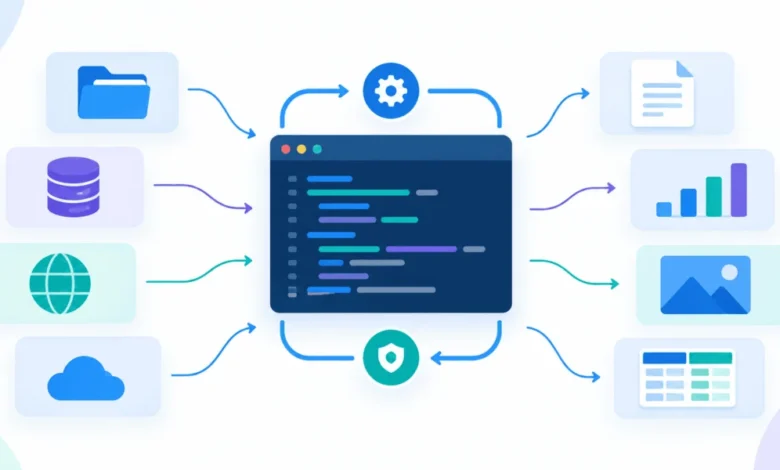
In modern software development, particularly within data-intensive fields like machine learning and high-performance computing, the reliability of resource management is a cornerstone of system stability. While most Python developers are introduced to context managers through the simple syntax of opening files—with open(path) as f:—this mechanism is significantly more versatile than basic I/O operations. By leveraging the underlying protocol of the with statement, developers can ensure that complex cleanup processes, state reversals, and resource deallocations occur reliably, even when unexpected errors or exceptions disrupt the execution flow.
The Mechanics of Guaranteed Cleanup
At its core, the with statement is a structural boundary that guarantees an exit sequence. When a script initiates a block, Python invokes the __enter__() method of the associated object. Once the code block concludes—whether through normal completion, a return statement, or an unhandled exception—the __exit__() method is triggered. This "guaranteed cleanup" is the primary defense against the accumulation of "zombie" processes, stale temporary files, and corrupted global configurations that often plague scripts failing mid-execution.
In a typical production environment, such as a large-scale model evaluation script, housekeeping is rarely trivial. A single script might involve creating temporary directories, modifying environment variables, adjusting logging verbosity, and initializing high-precision timers. When a malformed data record causes an evaluate() function to crash halfway through, a standard script will skip all code following the crash, leaving the system in a compromised state. The next process to run may then inherit these "dirty" settings, leading to unpredictable behavior. Context managers effectively transform these disparate cleanup tasks into atomic, resilient units.
Evolution of Context Management: From Classes to Decorators
The implementation of custom context managers generally follows one of three patterns, depending on the complexity of the state involved.
For managers requiring internal state tracking—such as a performance timer—the class-based approach is ideal. By defining __enter__ and __exit__ methods, developers create an object that can maintain data throughout the lifecycle of the block. For instance, a Timer class can store a start timestamp and calculate the final elapsed duration upon exit, regardless of whether the process succeeded or failed. This allows for precise instrumentation of preprocessing stages, providing engineers with consistent performance metrics that would otherwise be lost during a crash.
When the logic is simpler—requiring only a setup-yield-cleanup flow—the @contextmanager decorator from the contextlib module provides a more concise alternative. This approach uses a generator function to define the boundary. Everything preceding the yield statement acts as the entry phase, while everything following it acts as the cleanup. This method is particularly effective for managing logging levels or global configuration flags, ensuring that the system reverts to its original state automatically.
Mitigating Risks with Standard Library Tools
The Python standard library offers built-in context managers that handle common pitfalls, such as tempfile.TemporaryDirectory. In many legacy scripts, developers manually create directories and use shutil.rmtree at the end of the file. This is inherently risky, as any exception before the final line renders the cleanup impossible. By contrast, TemporaryDirectory creates a unique, isolated environment for the duration of the block and destroys it upon exit, ensuring that no artifacts remain in the file system after the process concludes.
Similarly, unittest.mock.patch.dict provides a robust mechanism for handling temporary changes to global mappings, such as os.environ. This is essential in environments where parallel processes or shared configurations might be affected by environmental changes. By restoring the dictionary to its pre-block state, the developer prevents "configuration drift," where one function’s environment modification persists and interferes with subsequent, unrelated functions.
Advanced Resource Orchestration with ExitStack
In scenarios where the number of resources—such as multiple file handles or database connections—is only known at runtime, standard nested with statements become unmanageable. This is where contextlib.ExitStack becomes an indispensable tool. ExitStack acts as a container for an arbitrary number of context managers and cleanup functions. It registers these resources dynamically and unwinds them in reverse order upon the termination of the block.
This functionality is crucial for complex operations like merging thousands of data shards. By using ExitStack, a developer can ensure that if any one of the hundreds of files fails to open, all previously opened files are closed correctly before the exception propagates. This programmatic approach to resource management eliminates the need for deeply nested code, significantly improving maintainability and reducing the likelihood of resource leaks.
Comparative Analysis of Management Patterns
| Pattern | Primary Use Case | Risk Profile |
|---|---|---|
Class-based (__enter__/__exit__) |
Managing complex state or persistent objects. | High risk if __exit__ swallows exceptions. |
@contextmanager |
Simple linear setup and teardown. | Must re-raise caught exceptions to avoid suppression. |
Built-in (TemporaryDirectory) |
File system and environment safety. | Unsafe for concurrent/threaded state changes. |
ExitStack |
Runtime-determined resource collection. | Must be closed or end block to avoid leaks. |
The Criticality of Exception Handling
A common error among developers is the accidental suppression of exceptions within the __exit__ method. If __exit__ returns a truthy value, Python interprets this as an instruction to suppress the exception that triggered the cleanup. In a production system, this can lead to "silent failures" where the script appears to finish successfully despite failing to produce the intended output.
Best practices dictate that custom context managers should almost always return False or None from __exit__, allowing exceptions to propagate naturally after the cleanup is complete. This ensures that the system’s error-reporting mechanisms remain intact, providing developers with clear tracebacks while maintaining the integrity of the environment.
Broader Implications for AI and Data Engineering
As AI and machine learning workflows become increasingly complex, the shift from "happy-path" scripting to robust, fault-tolerant engineering is essential. The use of context managers is not merely a stylistic choice; it is a foundational requirement for production-grade code. By encapsulating cleanup logic within the scope of the operation, developers create "self-cleaning" code that minimizes the risk of human error.
In high-stakes environments—such as training large language models or running distributed data pipelines—the time required to debug a stale environment variable or a lingering 3GB scratch directory can result in significant operational costs. Implementing these patterns ensures that every run, successful or otherwise, leaves the system in a predictable state. As the industry continues to prioritize reliability and reproducibility, the adoption of structured resource management will remain a key differentiator between prototype code and resilient, production-ready software systems.
The transition to this mindset requires a departure from viewing the with statement as a tool for file handling, and instead recognizing it as the primary mechanism for scope-bound lifecycle management. Whether it is an environment override, a database connection, or a complex multi-shard merge, the context manager provides the necessary guardrails to ensure that software remains predictable, clean, and reliable under the most demanding conditions.
Related posts: