Android Studio Rabbit 2 Officially Launches with Advanced AI Integration, Bring Your Own Agent Support, and Expanded XR Capabilities

Google has officially announced the stable release of Android Studio Rabbit 2, marking a significant milestone in the evolution of the Android development ecosystem. Available immediately for production environments, this major update introduces a robust suite of next-generation features designed to address modern software engineering challenges. Among the primary highlights are the "Bring Your Own Agent" (BYOA) architecture, comprehensive Android Extended Reality (XR) emulation tools, an updated LeakCanary integration for automated memory diagnostics, an advanced agent skills manager, and a streamlined AI Change Review system. The announcement coincides with the live-streaming of the annual Android Dev Summit, where developers can access detailed technical demonstrations, live Q&A sessions, and architectural deep dives concerning the future of mobile and spatial computing tools.
The release of Android Studio Rabbit 2 addresses a fundamental paradigm shift in mobile software engineering, transitioning from traditional manual coding workflows to hybrid agentic development models. Over the past several cycles, Google has steadily integrated artificial intelligence capabilities into its primary Integrated Development Environment (IDE). With Rabbit 2, the focus expands heavily toward modularity, enterprise-grade governance, and multi-platform compatibility, particularly concerning augmented and virtual reality hardware form factors.

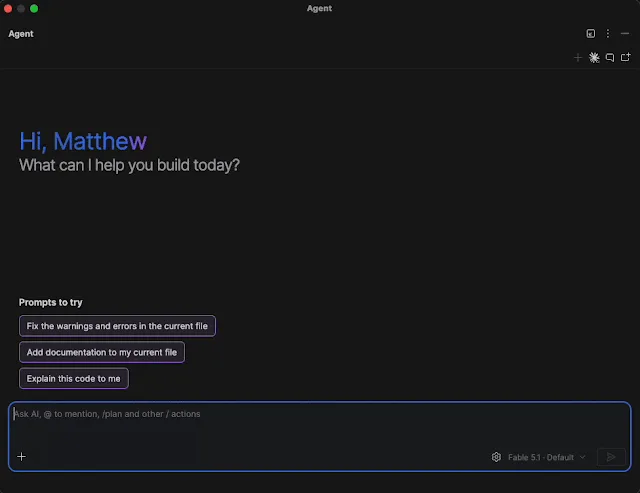
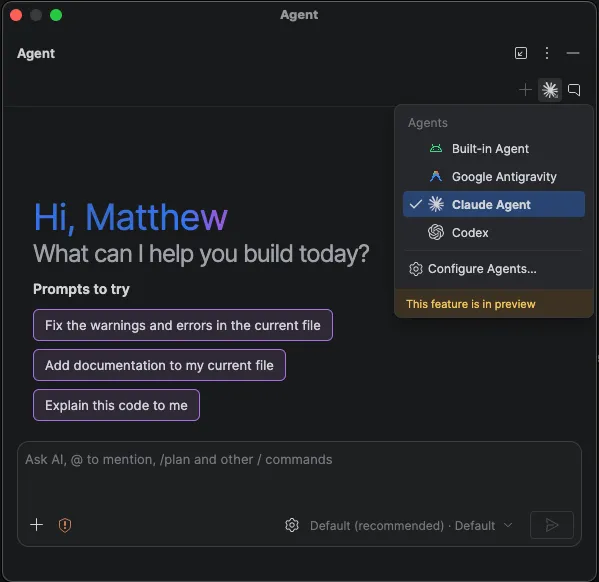
At the core of the Android Studio Rabbit 2 release is the introduction of Bring Your Own Agent (BYOA) functionality. Modern development teams frequently utilize disparate coding assistants depending on enterprise agreements, cost structures, and specialized task requirements. Recognizing this fragmentation, Google’s engineering teams designed Rabbit 2 to support over 40 distinct coding agents adhering to the Agent Client Protocol (ACP). Developers can now seamlessly integrate and switch between preferred solutions—such as the Claude Agent, OpenAI’s Codex, Junie, and Google Antigravity—directly within the IDE.
These integrated agents are not siloed text generators; they possess deep, native hooks into core Android Studio utilities. Agents can directly interface with the Android Emulator, local build systems, and Logcat outputs. Furthermore, they are equipped to leverage specialized Android skills to execute complex, multi-step refactoring and implementation tasks. Configuring BYOA is straightforward, requiring developers to simply navigate to the agent configuration window, authenticate, and submit prompts through the standard interface or via global settings under Tools, AI, and Agents.
In tandem with software-based AI workflows, Android Studio Rabbit 2 delivers stable, production-ready Android XR Emulators. As the spatial computing market matures, developers require reliable hardware simulation environments without necessarily possessing physical prototypes of XR glasses, audio glasses, or display glasses. The updated emulators allow engineers to build, iterate, and test sophisticated spatial experiences directly from standard laptop hardware.
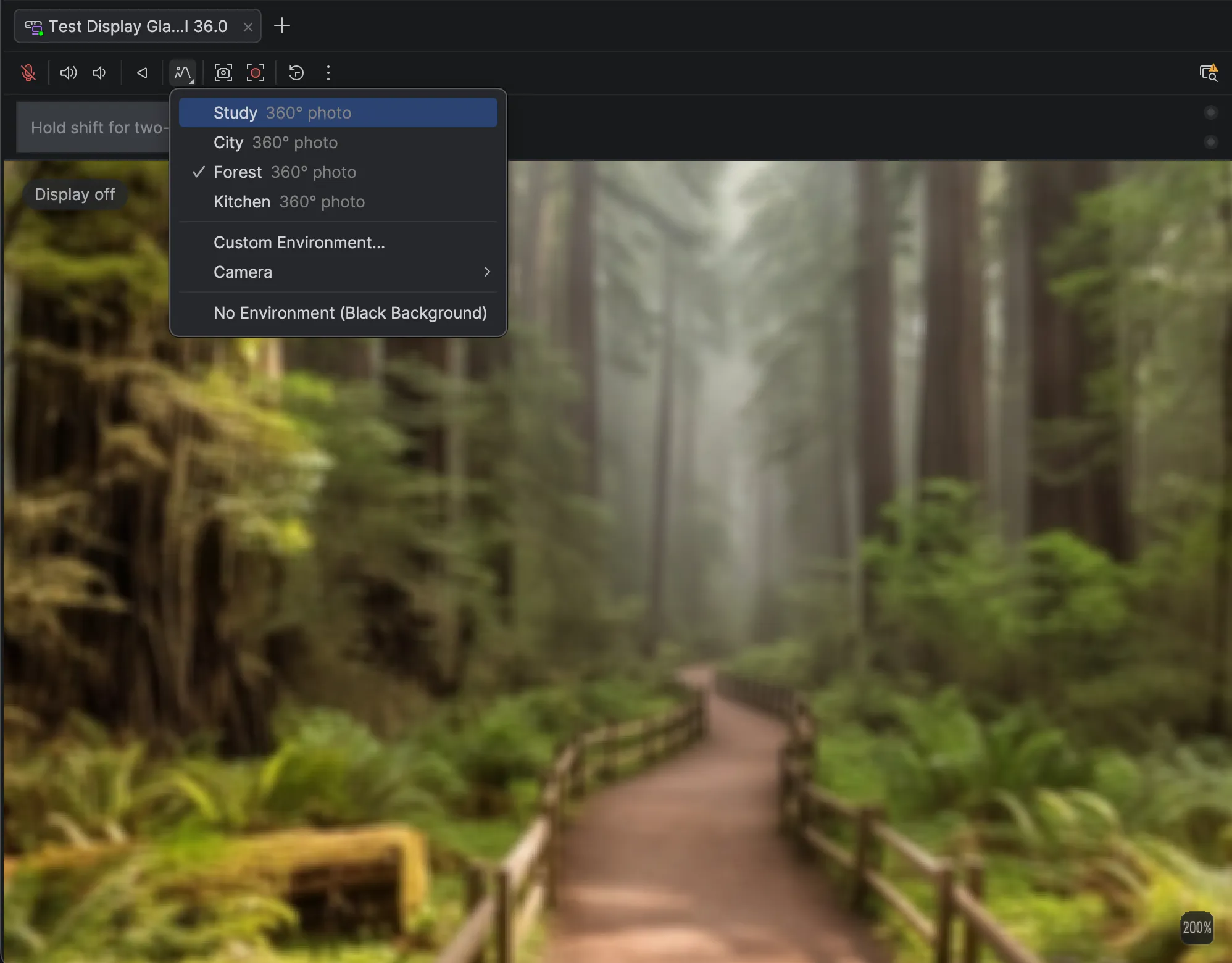
A notable advancement within the XR toolset is the customizable display glasses emulator. Developers can now inject personalized 360-degree panoramic photos or live video feeds from connected external cameras into the virtual environment, facilitating real-world environment testing from any geographical location. Additionally, Google has incorporated hardware-level LED indicators to visually represent active microphone and camera states, addressing privacy and compliance testing during development. The pairing wizard has also undergone substantial re-engineering, offering faster and more reliable synchronization between virtual smartphones and virtual wearable displays via the Device Manager.
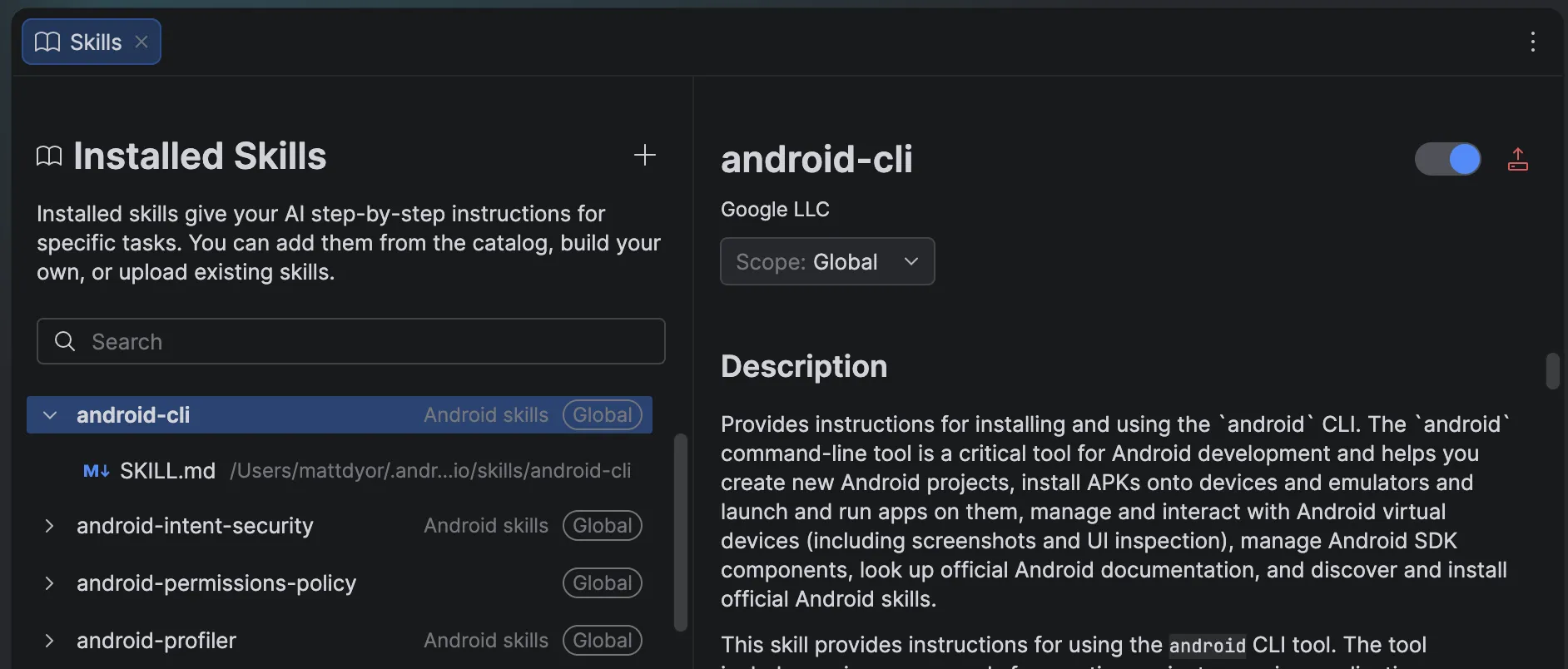
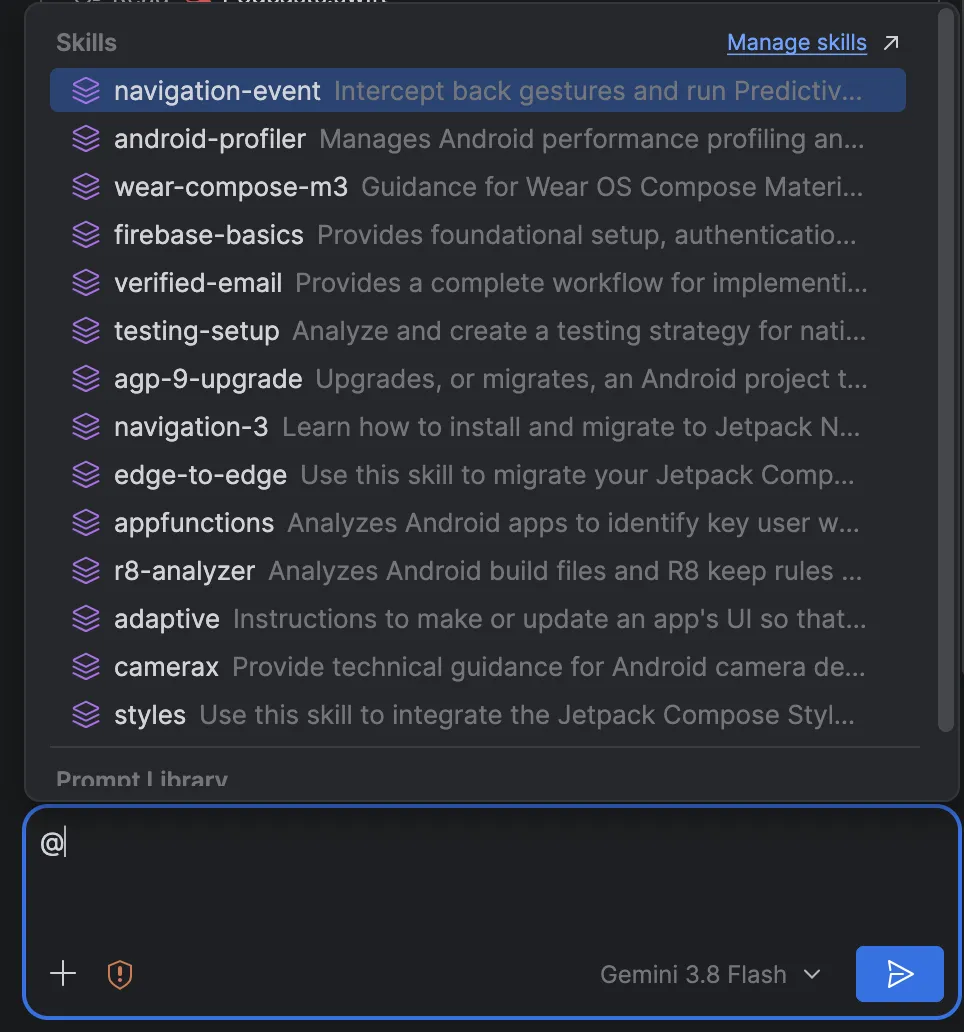
To optimize how artificial intelligence interacts with complex codebases, Android Studio Rabbit 2 introduces a centralized skill management interface. Accessible directly via the agent panel, chat box commands, or IDE settings, the new Skills Manager provides granular control over the procedural guidance available to coding agents.
The environment ships pre-loaded with a comprehensive library of Android and Firebase agent skills. These pre-configured behavioral packages enable agents to execute specialized operations with high accuracy, including the migration of legacy XML layout views to modern Jetpack Compose, upgrading projects to Android Gradle Plugin (AGP) 9, implementing adaptive layouts for foldable devices and tablets, and integrating complex libraries such as CameraX and Firebase services. By invoking skills using simple chat commands or browsing the dedicated editor tab, teams can enforce coding standards and accelerate boilerplate implementation.
Memory management and performance profiling have similarly received an agentic upgrade through the integration of LeakCanary. Historically, diagnosing memory leaks required deep profiling expertise and tedious manual inspection of heap dumps. Within Android Studio Rabbit 2, LeakCanary is directly coupled with the built-in development agent inside the Profiler suite.
When a memory leak is detected, the system does more than simply flag the issue; it synthesizes narrative-driven explanations outlining the root cause of the anomaly. More importantly, the agent proposes specific, context-aware code corrections to patch the leak. This reduces the time-to-resolution for critical stability bugs, allowing developers to maintain high performance standards without deep-diving into raw memory allocations.
For enterprise environments managing large-scale codebases, regulatory compliance, and proprietary intellectual property, Android Studio Rabbit 2 continues to support Gemini Enterprise. First introduced in earlier development cycles, Gemini Enterprise allows organizations to securely connect the IDE to internal knowledge bases, proprietary design systems, and private repositories. This integration ensures that AI-generated suggestions are contextually relevant to enterprise-specific libraries rather than relying solely on public domain datasets.
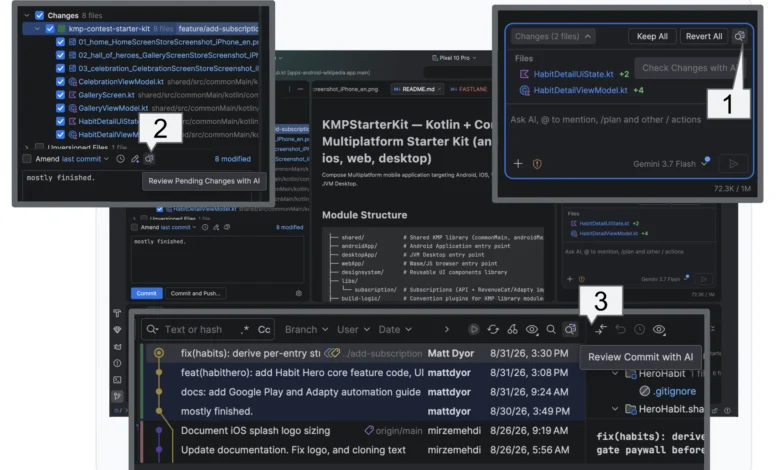
To help engineering leads manage the sheer volume of code generated by modern AI tools, Rabbit 2 introduces AI Change Review. As development velocity increases, code review bottlenecks have become a primary friction point for engineering teams. Change Review functions across agent-generated modifications, pending local commits, and the Git log history.
The system initiates the review process by identifying "Recommended Fixes," where the agent independently audits its own changes or recent commits for potential errors. Once initial recommendations are resolved, developers can initiate a "Guided Walkthrough." Rather than forcing reviewers to examine files sequentially, Change Review groups and prioritizes related diff chunks across the entire project into logical, thematic units, streamlining verification and sign-off procedures.
Industry analysts observe that the release of Android Studio Rabbit 2 reflects a broader industry movement toward agent-agnostic development environments. By refusing to lock developers into a single proprietary ecosystem, Google is positioning Android Studio as an open orchestration layer for software engineering intelligence. The inclusion of spatial computing emulators further emphasizes the company’s long-term commitment to bridging traditional mobile development with emerging form factors.
Engineering teams can begin utilizing these features immediately by downloading the latest stable release of Android Studio through official channels. Google encourages developers to report any bugs via the standard issue tracker and to engage with the broader engineering community through official channels on LinkedIn, YouTube, and X. Comprehensive tutorials, breakout sessions, and architectural demonstrations from the ongoing Android Dev Summit remain accessible via live streams and archived event documentation.
Related posts: