Azure Chaos Studio Workspaces Revolutionizes Resilience Testing for Cloud Applications

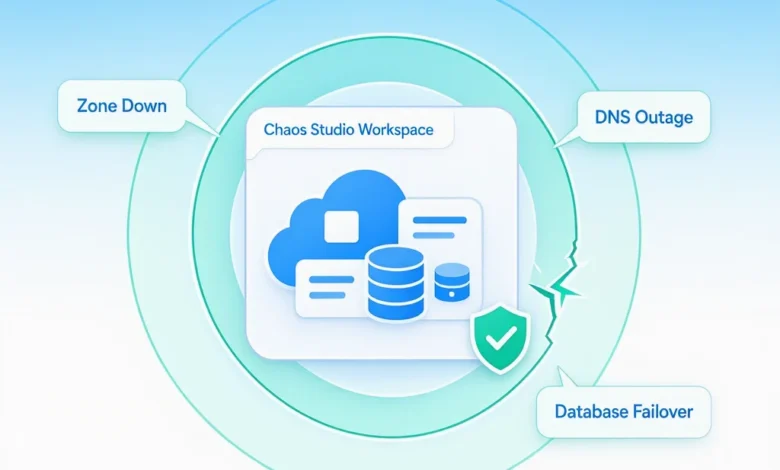
Microsoft has officially launched Azure Chaos Studio Workspaces into public preview, a significant advancement in its managed service designed to help organizations proactively validate the resilience of their cloud applications. This new scenario-focused approach moves beyond simulating isolated failures, enabling customers to test complex, real-world outage patterns before they impact production environments. The introduction of Workspaces signifies a strategic shift towards making chaos engineering more accessible, effective, and integrated into the daily workflows of development and operations teams.
The core principle behind chaos engineering is simple yet powerful: an application’s resilience is only truly known when it’s tested under duress. Rather than waiting for a catastrophic production failure to reveal weaknesses, Azure Chaos Studio Workspaces empowers organizations to deliberately inject controlled disruptions, such as simulated outages, failovers, network disruptions, and infrastructure failures, within a safe, test environment. This allows teams to observe, analyze, and remediate potential vulnerabilities, ensuring that their applications can withstand unexpected events without user-facing consequences.
The Imperative of Resilience in Modern Cloud Architectures
In today’s digital-first landscape, application resilience is not merely a desirable feature but a critical business requirement. Organizations have made substantial investments in building robust architectures on platforms like Microsoft Azure. These investments often include sophisticated mechanisms such as multi-zone deployments for high availability, geo-redundant storage for data durability, automatic database failover for continuous operation, intricate retry logic within application code, and load-balanced front ends to distribute traffic effectively.
However, the effectiveness of these built-in resilience features is often only truly tested when an incident strikes. Real-world outages rarely adhere to the clean lines of an architecture diagram. A zone-redundant deployment, meticulously designed for failover, could falter due to a misconfigured health probe that went unnoticed for years. A database equipped with automatic failover capabilities might leave an application inoperable if a critical connection string remains hardcoded to a single region, preventing seamless transition. Similarly, geo-redundant storage, while ensuring data availability, could momentarily serve stale reads that the application’s logic was not designed to handle, leading to unexpected data inconsistencies. These subtle but critical oversights are frequently discovered only during an actual production event, underscoring the gap between theoretical design and practical application resilience.
Microsoft emphasizes that reliability and resilience on Azure operate under a shared responsibility model. While Microsoft is accountable for the inherent resilience of the Azure platform and its services, customers bear the responsibility for configuring these services effectively and developing application code that leverages them correctly. No single layer of redundancy can compensate for a deficiency in another. Consequently, the only definitive method to ascertain whether an architecture, its configuration, and the application logic will withstand production failures is to rigorously test these components under simulated failure conditions.
Azure Chaos Studio Workspaces: A Paradigm Shift in Resilience Testing
Azure Chaos Studio, the foundational managed chaos engineering service, has been enhanced with the introduction of Workspaces. This evolution focuses on creating a more intuitive and scenario-driven approach to resilience validation. Instead of manually assembling individual fault injections, Chaos Studio Workspaces allows users to select from a curated library of named scenarios that mirror common and impactful outage patterns observed in real Azure environments.
These pre-defined scenarios, such as "Zone Down," "DNS Outage," or "SQL Failover," are designed to simulate the complex interplay of failures that often occur simultaneously in production. A typical outage doesn’t just affect one component; it often triggers cascading effects across multiple layers of the technology stack. Chaos Studio Workspaces acknowledges this complexity by orchestrating these combined failures, providing a more realistic and comprehensive test of an application’s end-to-end resilience.
The testing process within Workspaces encompasses both the platform layer and the application layer. On the platform side, tests validate whether services recover within predefined Recovery Time Objectives (RTOs), if failovers complete successfully, and if traffic is rerouted as expected. Concurrently, application-layer testing assesses crucial aspects such as data integrity, the ability to resume in-flight transactions, the effectiveness of retry mechanisms, and the application’s capacity to degrade gracefully under stress. A simple test that merely stops a Virtual Machine (VM), for instance, primarily evaluates the platform layer. In contrast, the scenarios offered within Chaos Studio Workspaces are architected to provide a holistic assessment of the entire application stack.
Simplifying the Onboarding Process for Chaos Engineering
A significant barrier to adopting chaos engineering has historically been the perceived complexity of getting started. Teams often struggle with identifying the appropriate failure modes to test or how to configure experiments effectively. Azure Chaos Studio Workspaces directly addresses this challenge by introducing a new top-level resource. When a Workspace is configured, it can be pointed at a specific Azure subscription or resource group. Using a managed identity, the Workspace automatically discovers the resources within its scope and intelligently recommends relevant failure scenarios.
These recommended scenarios are then presented within the Workspace, pre-configured and ready for customization and execution. This discovery and recommendation engine ensures that teams are immediately presented with tests that are pertinent to their specific environment and workload. Furthermore, the system includes a refresh mechanism that updates these recommendations whenever the underlying infrastructure changes, ensuring that resilience testing remains aligned with the current state of the application.
A Library of Real-World Outage Scenarios
At the heart of Chaos Studio Workspaces is a rich library of curated scenarios, meticulously informed by patterns observed in actual Azure incidents. This ensures that the failure modes being tested are not hypothetical but are based on the challenges customers have genuinely encountered. These scenarios act as resilience templates, providing a rapid path for teams to address the most common and critical failure points. For organizations with unique requirements, the platform also offers the flexibility to design custom scenarios using the same underlying fault library.
The currently available scenarios include:
- CPU and Memory Pressure: Simulating resource exhaustion on VMs.
- Network Latency and Packet Loss: Introducing delays and data corruption in network communication.
- Service Bus Disruption: Testing resilience against failures in message queuing systems.
- Azure Cache for Redis Disruption: Simulating failures in in-memory caching services.
- Azure Cosmos DB Failover: Testing database failover and recovery.
- Azure SQL Database Failover: Validating the resilience of SQL database failover mechanisms.
- Azure Kubernetes Service (AKS) Node Failure: Simulating the loss of worker nodes in a Kubernetes cluster.
- Application Gateway Failure: Testing the resilience of the application gateway service.
- Azure Storage Account Failure: Simulating disruptions to storage services.
- Virtual Machine Scale Sets (VMSS) Instance Failure: Testing the impact of losing instances in a VMSS.
These scenarios are built upon granular API-level actions, allowing for precise control over the injected faults. For instance, a "Zone Down" scenario might be composed of multiple faults, such as shutting down Virtual Machine Scale Sets (VMSS) instances in a specific zone and forcing a database primary failover. Chaos Studio Workspaces automates the sequencing of these faults, abstracting away the complex manual orchestration that would otherwise be required.

Custom Scenario Design and Evolving Fault Library
Recognizing that off-the-shelf scenarios may not cover every unique use case, Chaos Studio Workspaces introduces a new "Scenario Designer." This drag-and-drop interface within the Azure portal empowers users to construct their own custom scenarios. The designer offers the same flexibility as the classic Chaos Studio experiments, allowing users to arrange steps, branches, and faults to precisely replicate specific failure conditions. Users can start with a curated template and modify it, or build a scenario entirely from scratch using the comprehensive fault library.
The library of available faults is continuously expanding. Beyond the initial set, Microsoft has plans to introduce additional scenarios, including:
- Azure Active Directory (now Microsoft Entra ID) Authentication Failure: Simulating issues with identity and access management.
- Azure Key Vault Secrets Access Failure: Testing the application’s ability to retrieve sensitive information.
- Azure Functions Timeout: Simulating failures in serverless function execution.
- Azure Service Fabric Node Failure: Testing resilience within a Service Fabric cluster.
- External Dependency Failure: Simulating the unavailability of third-party services.
Resilience for AI Applications
The increasing adoption of Artificial Intelligence (AI) services in production environments presents new challenges and opportunities for resilience testing. Applications leveraging technologies like Microsoft Copilot, autonomous agents, retrieval-augmented generation (RAG) pipelines, and inference endpoints, while innovative, still rely on the foundational Azure building blocks common to other distributed applications. These include compute, databases, caching, identity management, networking, messaging, and storage.
Azure Chaos Studio Workspaces is well-equipped to validate this underlying infrastructure for AI workloads today. Scenarios like "Zone Down," "Database Failover," "DNS Outage," "Cache Stampede," and "Event-Driven Messaging Disruption" are directly applicable. As the catalog evolves, it will incorporate AI-specific failure modes, informed by ongoing collaboration with customers building AI solutions on Azure. These future scenarios may address issues such as retrieval drift (where the information retrieved by a RAG system becomes inaccurate or irrelevant), token throttling (limits on the number of tokens processed by AI models), and model behavior shifts under heavy load.
Enhanced Reporting and AI Integration
Upon completion of a chaos experiment run, Azure Chaos Studio Workspaces generates a detailed "Scenario Report." This structured report provides an in-depth analysis of the experiment, outlining the injected faults, the affected resources, the observed recovery timeline, and the differentiation between signals attributable to the drill and normal system behavior. It also highlights any unexpected deviations in workload performance. The report is designed to resemble an internal post-incident review, making it valuable for both the technical teams executing the drills and the leadership overseeing resilience validation. These reports can be exported and used as evidence for change tickets, audits, or service health reviews.
In a significant move to integrate resilience testing into modern development workflows, Microsoft is also launching two new capabilities to drive Chaos Studio from the tools engineers already use.
Firstly, the Chaos Studio Skill for GitHub Copilot provides a conversational interface for performing chaos engineering tasks. Users can interact with Copilot to set up a Workspace, explore recommended scenarios, initiate a test run, and receive reports on actual outcomes correlated with Azure Monitor signals.
Secondly, a Model Context Protocol (MCP) server exposes Chaos Studio operations as typed tools. This allows other AI assistants and autonomous agents, including Claude, Cursor, Codex, or custom-built solutions, to provision Workspaces, execute scenarios, and query associated signals without direct human intervention. Both these integrations leverage the same underlying Chaos Studio APIs and Azure authentication, enabling seamless adoption within existing AI-powered development and operations ecosystems.
Microsoft’s strategic decision to embed these capabilities on day one stems from the belief that the user experience for chaos engineering should be guided by the platform provider, not left to the interpretation of large language models. As decision-making regarding resilience testing increasingly shifts to chat-based tools, integrating Chaos Studio into these platforms ensures a consistent and effective approach.
Future Directions and Getting Started
Looking ahead, the Chaos Studio Skill is slated to become a component of automated operations flows within Microsoft Foundry. It is also envisioned as a mechanism for Azure Site Reliability Engineering (SRE) agents to validate their assumptions about workload failure patterns. Microsoft encourages users to try these new features and provide feedback to help shape the ongoing development through the public preview phase.
Azure Chaos Studio Workspaces is currently available in public preview, with general availability targeted for late 2026, subject to potential adjustments.
To begin using Azure Chaos Studio Workspaces:
- Create a Chaos Studio Workspace: Navigate to the Azure portal and create a new Chaos Studio Workspace resource.
- Configure Scope: Define the subscription or resource group that the Workspace will manage.
- Discover and Select Scenarios: Allow the Workspace to discover your resources and present recommended scenarios, or choose to create a custom scenario.
- Run Experiments: Execute the chosen scenarios against your application to simulate failures.
- Analyze Reports: Review the detailed scenario reports to identify and address any resilience gaps.
In conclusion, resilience is not a singular feature but an ongoing engineering discipline that demands continuous verification. Azure Chaos Studio Workspaces represents Microsoft’s commitment to embedding this verification process as a default practice for all Azure workloads, including the rapidly expanding landscape of AI-powered applications. By making sophisticated chaos engineering more accessible and integrated, Microsoft aims to empower organizations to build and maintain more robust, reliable, and resilient cloud services.