Googlebook Introduces a Linux Terminal Preview to Power Agentic AI Workflows and Secure Developer Environments

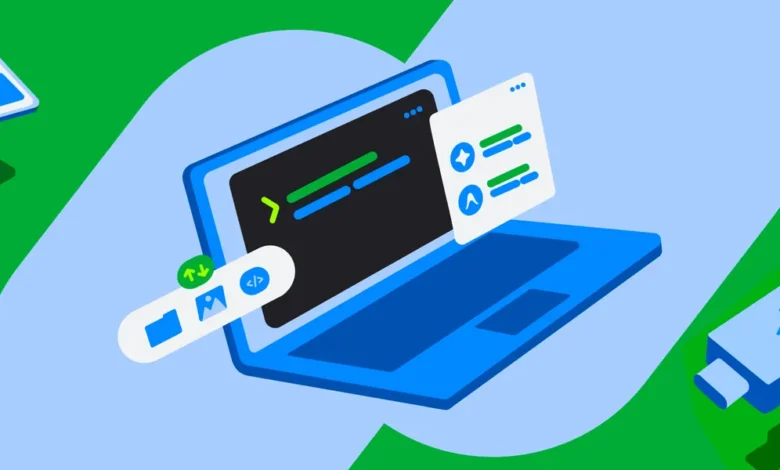
The modern landscape of artificial intelligence development increasingly demands direct interaction with command-line interfaces and terminal environments. Even users who do not traditionally identify as software engineers or systems programmers frequently find themselves navigating terminal commands to orchestrate complex AI workflows. Recognizing this paradigm shift, the development team behind Googlebook has officially announced the preview launch of an integrated Linux terminal environment designed to lower the barrier of entry for agentic AI applications and general developer tooling.
This newly introduced feature bridges the gap between sophisticated machine learning workflows and everyday operating system usability. By equipping Googlebook with pre-installed command-line utilities and a robust Debian-based Linux virtual machine (VM), the platform aims to empower both casual creators and advanced developers to build, test, and deploy applications seamlessly. As agentic AI systems become more autonomous—capable of writing code, installing dependencies, and managing file structures via natural language prompts—providing a secure, reliable, and accessible command-line interface has become a critical engineering priority.
The Foundation of Agentic Development on Googlebook
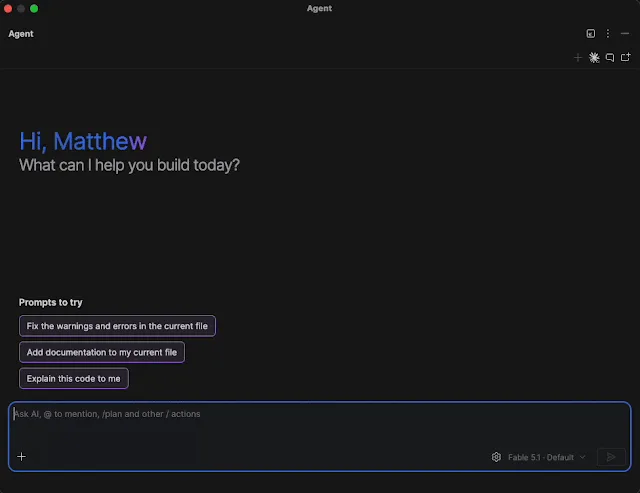
Artificial intelligence agents have rapidly evolved from simple conversational text generators into autonomous actors capable of executing multi-step engineering tasks. These agents routinely rely on terminal access to install software packages, modify configuration files, automate tedious system processes, and construct fully functional software applications based entirely on plain-language prompts. For Googlebook to serve as a premier workstation at the frontier of agentic AI, engineers recognized that the underlying terminal infrastructure had to be both deeply integrated and frictionless to access.
However, granting AI agents and external tools low-level access to a host operating system introduces significant security and stability risks. To address these vulnerabilities, Googlebook OS has been architected from the ground up with a defense-in-depth security model. Every terminal command executed by a user or an automated agent runs entirely within an isolated Linux virtual machine sandbox. This structural separation allows users to grant elevated administrator privileges—such as sudo access—to powerful agentic AI platforms and development tools like Antigravity, which heavily depend on command-line operations, without exposing the core system to catastrophic corruption or unauthorized surveillance of private user data.
The strict boundary maintained by the virtual machine ensures that the host operating system and unmounted directories remain completely protected. Directories residing on the host file system are only made accessible to the Linux environment after the user grants explicit, intentional permission. Furthermore, the development team has prioritized experimental freedom by incorporating a one-click virtual machine reset feature. If an experimental script goes awry or a configuration becomes corrupted, users can reset the entire Linux environment instantly while securely retaining all of their important files on the host file system.
Integration with the broader Googlebook ecosystem further enhances this utility. Users can view and manage their Linux files directly through the native Googlebook Files app. This centralized file manager also incorporates local folders synced effortlessly from Android mobile devices. Consequently, individuals can write a brief Python script or deploy a local AI agent to batch-process mobile photographs, documents, and media files in a matter of seconds, combining the convenience of mobile computing with the raw computational power of a desktop-grade Linux environment.
Leveraging the Power of a Debian Linux Virtual Machine
Beyond facilitating agentic AI workflows, the integration of a full Linux virtual machine grants users absolute autonomy over their software choices. Rather than locking individuals into a restricted garden of pre-approved applications, Googlebook now offers a flexible environment where users can craft hyper-specific utilities tailored to their exact workflows or prototype large-scale applications for broader distribution.
By utilizing a standard Debian Linux distribution, the platform taps into a mature, battle-tested software ecosystem familiar to millions of developers worldwide. This foundational choice ensures immediate compatibility with the latest command-line interface (CLI) tools and standard software engineering pipelines. Developers can leverage ubiquitous utilities such as apt for package management, git for version control, ssh for secure remote networking, and a wide array of native compilers and execution runtimes.
Out of the box, the preview build of the Googlebook terminal has been meticulously optimized for high-speed prototyping, modern web development, advanced scripting, and command-line-driven agentic workflows. To streamline web development and local testing, engineers have implemented automatic localhost port forwarding directly to the host browser, eliminating the tedious network configuration steps typically required when running local servers inside virtualized environments.
The environment also features out-of-the-box support for contemporary software runtimes, including Node.js, Python, Ruby, Go, and Rust. Recognizing that different workloads demand varying computational resources, Googlebook allows users to dynamically adjust the exact amount of memory allocated to the Linux virtual machine, tailoring system performance to match specific project requirements. Internal engineering teams at Googlebook have already validated the resilience and performance of this architecture, utilizing the terminal environment for heavy-duty platform engineering tasks and compiling custom Linux kernels directly on the device.
Background Context and Chronological Evolution
The rollout of the Linux terminal preview on Googlebook represents the culmination of a broader industry-wide movement toward blurring the lines between consumer operating systems and professional developer environments. Over the past several years, operating system architects have increasingly sought to incorporate containerized and virtualized Linux runtimes into consumer-facing hardware, acknowledging that modern productivity extends far beyond traditional office applications.
Chronologically, the journey toward comprehensive developer integration on lightweight operating systems began accelerating with the mainstream adoption of containerization technologies and browser-based development environments. As cloud computing and local virtualization grew more efficient, users began demanding desktop-class capabilities on portable, secure devices. Googlebook’s approach builds upon these architectural precedents by prioritizing sandboxed security paired with direct hardware-level optimization.
The initial conceptualization of the Googlebook terminal focused primarily on basic command-line execution for educational purposes. However, the explosive rise of large language models and autonomous coding agents fundamentally altered the trajectory of the project. Engineering leadership recognized that the terminal could no longer remain a hidden feature reserved for niche programmers; instead, it needed to serve as the primary engine room for human-AI collaboration.
Throughout the development phase, engineering teams conducted extensive internal testing, utilizing the virtual machine for systems programming and complex dependency management. The decision to release the feature in a public preview phase marks a strategic shift toward community-driven development, inviting early adopters, systems administrators, and hobbyists to test the limits of the sandbox and provide actionable feedback.
Official Responses, Community Engagement, and Expert Reactions
The announcement of the Linux terminal preview has generated significant discussion across developer communities, technical forums, and open-source software circles. Early responses from users on community discussion boards, including the dedicated Reddit community at r/googlebook, have been largely enthusiastic, with many praising the balance between high-level security sandboxing and unrestricted developer freedom.
Industry analysts and software engineering experts have weighed in on the broader implications of integrating powerful developer tooling into consumer-centric AI hardware. According to observers tracking the intersection of artificial intelligence and operating system design, providing isolated sandbox environments is a necessary prerequisite for the safe deployment of agentic AI. As AI tools gain the ability to execute terminal commands autonomously, the risk of accidental system damage or malicious prompt injection attacks rises exponentially. By enforcing strict boundary controls—such as explicit directory mounting and one-click VM resets—Googlebook has established a strong baseline for secure agentic execution.
Furthermore, software developers have commended the choice of a Debian-based foundation, noting that familiarity with standard package managers and compilation tools significantly lowers the learning curve. Rather than forcing developers to learn proprietary APIs or custom command-line utilities, Googlebook enables them to bring their existing toolchains, scripts, and deployment pipelines directly to the platform.
Official support channels have been established to assist users navigating the preview release. Googlebook maintains an active community support portal where early adopters can report bugs, submit feature requests, and collaborate on troubleshooting complex virtual machine configurations. The engineering team has emphasized that community feedback will play a vital role in shaping the roadmap for subsequent releases.
Broader Impact and Future Industry Implications
The introduction of a secure Linux terminal and virtual machine ecosystem on Googlebook carries significant implications for the future of personal computing and software development. As artificial intelligence transitions from a passive advisory tool into an active participant in software creation, operating systems must adapt to accommodate automated workflows without compromising user privacy or device integrity.
By demonstrating that powerful developer environments can coexist with stringent security sandboxes, Googlebook is setting a new architectural standard for AI-first hardware. The ability to grant an AI agent sudo privileges within a strictly bounded virtual machine—while keeping the host operating system completely shielded—resolves one of the most prominent security dilemmas facing modern autonomous software development.
Looking ahead, the development roadmap for the Googlebook terminal points toward even deeper system integration. Among the most anticipated upcoming features is native support for Linux graphical user interface (GUI) applications, which will be integrated directly into the core operating system’s app launcher. This advancement will allow users to run full desktop Linux software side-by-side with native applications, further eroding the traditional boundaries between operating system ecosystems.
As the preview period progresses, the engineering team plans to roll out continuous performance enhancements, expanded memory management controls, and refined interoperability between the host operating system and the Linux virtual machine. By fostering an open, collaborative ecosystem and actively engaging with the developer community, Googlebook is positioning its platform as a foundational workstation for the next generation of human-AI collaboration and agentic software engineering.